
Best Flutter training in Hyderabad

( Android & iOS App Development )

Course + Placement Support

Master Flutter & Dart and learn how to build powerful Android and iOS mobile applications from scratch using a single codebase. Our Flutter Training in Hyderabad focuses on practical mobile app development, real-world projects, and industry-ready skills that companies expect from modern app developers.

Practical • Industry-Driven • Job-Focused

Who This Course Is For

New Hires and Recent Graduates • Professionals in the workforce • People changing careers

Dimensionality Software Services offers a Flutter Training in Hyderabad designed for students, fresh graduates, and working professionals who want to build a career in mobile app development. This program focuses on practical training in Flutter, Dart programming, UI design, API integration, state management, and mobile app deployment.Every Flutter training program includes live instructor-led sessions, real-time mobile app projects, hands-on assignments, interview preparation, and continuous mentor support. By the end of the course, learners gain the confidence to build production-ready Android and iOS applications and become job-ready Flutter developers in the mobile app industry.We also offer Clinical SAS Training in Hyderabad for students interested in building a career in clinical data management.

Expert Flutter Trainers in Hyderabad

Expert Flutter Trainer – Mr.N. Sai

15+ Years of Real-Time Software Development Experience

Mr. Sai is an experienced Flutter Trainer in Hyderabad who has been delivering industry-focused Flutter and Mobile App Development training for over 15 years.

He has been actively involved in real-world mobile app development, Flutter projects, and cross-platform application development, guiding students with a strong emphasis on practical learning, hands-on projects, and real industry use cases.

He guarantees that students acquire job-ready Flutter development abilities, encompassing Flutter, Dart Programming, UI Development, API Integration, State Management, Firebase, and Real-Time App Development Projects, thanks to his extensive technical knowledge and training-first methodology.

Trainer Profile

  • Name: Mr.N. Sai
  • Experience: Over 15 Years of Practical Training and Software Industry Experience
  • Current Role: Senior Mobile App Consultant & Flutter Trainer
  • Past Experience: Senior Software Developer & Mobile App Trainer
  • Training Focus: Industry-Oriented Flutter & Mobile App Development
  • Students Trained: Thousands of students trained across Hyderabad & India

Flutter Training Coverage

  • Flutter Training from Beginner to Advanced Levels
  • Step-by-step learning with real mobile app projects
  • Complete Flutter app development lifecycle
  • Mobile UI design, API integration, and app deployment
  • Practical exposure aligned with industry requirements

Industry-Based Flutter App Projects Covered

The training includes multiple real-time Flutter mobile app development projects, such as

Mobile App Development

Healthcare App

Finance App

E-Commerce App

Social Media App

Sales & Business Apps

During our Flutter training in Hyderabad, these industry-based mobile app projects give students practical development experience, improving their confidence and preparing them for careers in mobile app development and software engineering.

Best Flutter Training in Hyderabad

Curriculum

Flutter & Dart Mobile App Development Training

Our Flutter Course Curriculum in Hyderabad is designed with one clear goal

make students industry-ready mobile app developers, not just theory learners.

Every module focuses on how Flutter app development is actually used in companies, covering the practical skills recruiters expect from freshers and working professionals who want to build careers in Android and iOS mobile app development.

Through hands-on coding, real-time mobile app projects, and practical assignments, students learn how to design, develop, and deploy professional Flutter applications used in real-world businesses.


Module 1 – Dart Programming

What is Dart and its purpose in app development

History and evolution of Dart

Why Dart is used with Flutter

Features of Dart language

Installing Dart SDK

Writing your first Dart program

Dart program structure

Dart development tools (VS Code, Android Studio)

Running Dart programs from terminal

Understanding the main() function

Understanding compilation in programming

What is Just-In-Time (JIT) compilation

Benefits of JIT during development

What is Ahead-Of-Time (AOT) compilation

AOT advantages in production apps

Differences between JIT and AOT

How Dart uses both compilation methods

Compilation process in Flutter apps

Performance benefits of AOT

Debugging advantages of JIT

Declaring variables in Dart

Understanding var, final, and const

Primitive data types (int, double, bool, String)

Dynamic type usage

Arithmetic operators

Relational operators

Logical operators

Assignment operators

Type conversion in Dart

Variable scope and lifetime

Using if statements

Using if-else conditions

Nested conditions

switch statements

for loops

while loops

do-while loops

break and continue statements

Conditional expressions

Writing efficient control logic

Classes and objects

Constructors in Dart

Named constructors

Inheritance concept

Method overriding

Encapsulation principles

Polymorphism basics

Abstract classes

Interfaces in Dart

OOP design best practices

Declaring functions in Dart

Function syntax and structure

Required parameters

Optional parameters

Named parameters

Default parameter values

Returning values from functions

Arrow functions (short syntax)

Recursive functions

Function best practices

Introduction to collections

Creating and using Lists

List operations (add, remove, update)

Iterating through lists

Understanding Sets

Unique values using Sets

Maps and key-value pairs

Accessing map elements

Iterating maps

Practical collection examples

Understanding runtime errors

Try block usage

Catch block implementation

Using multiple catch blocks

Finally block usage

Throwing custom exceptions

Error handling best practices

Debugging exceptions

Logging errors

Preventing application crashes

Understanding asynchronous programming

What is a Future in Dart

Creating Future objects

Using async keyword

Using await keyword

Handling async errors

Chaining futures

Practical async examples

API calls using async

Improving app performance

Introduction to null safety

Nullable vs non-nullable variables

Using ? operator

Late keyword usage

Null-aware operators

Preventing null errors

Writing safe code

Migrating old code to null safety

Best practices for null safety

Module 2 – Flutter Fundamentals

Installing Flutter SDK

Setting environment variables

Installing Android Studio

Installing VS Code extensions

Configuring Flutter CLI

Setting up Android emulator

Running Flutter doctor

Creating first Flutter project

Testing Flutter installation

Troubleshooting setup issues

Understanding Flutter project folders

Role of pubspec.yaml file

Managing dependencies

Adding packages

Assets configuration

Fonts configuration

Version management

Package updates

Environment configuration

Best practices for project structure

Understanding runApp()

Flutter widget tree concept

Application entry point

Lifecycle stages overview

Initialization process

State changes in lifecycle

Lifecycle callbacks

Managing resources

App lifecycle debugging

Lifecycle best practices

Introduction to widgets

Scaffold layout structure

AppBar customization

Container styling

Text widget formatting

Padding and margin usage

Aligning widgets

Background colors and themes

Widget composition

Building simple UI layouts

Row layout usage

Column layout usage

Stack layout concept

Aligning elements

Expanded widget usage

Flexible widget usage

Spacer widget

Nested layouts

Layout debugging

Responsive layout techniques

ElevatedButton usage

TextButton usage

IconButton usage

Gesture input handling

TextField input

Form inputs

Keyboard handling

Focus management

Button styling

Handling user actions

Understanding gestures

Tap detection

Double tap detection

Long press detection

Swipe gestures

Drag gestures

GestureDetector widget

Interactive UI elements

Gesture conflict handling

Gesture best practices

Module 3 – Media & UI Design

Adding asset images

Configuring assets in pubspec.yaml

Displaying images in UI

Network image loading

Image caching

Image error handling

Image resizing

Image placeholders

Image performance optimization

Practical image UI examples

Introduction to CircleAvatar

Displaying profile images

Background colors

Radius customization

Using network images

Using asset images

Avatar text initials

Avatar styling

Combining avatars with lists

Profile UI examples

Adding custom fonts

Configuring fonts in pubspec.yaml

Applying fonts in Text widgets

Google Fonts package installation

Using different font styles

Font weight adjustments

Font scaling

Typography best practices

Branding with fonts

UI consistency

Responsive layout concepts

Using MediaQuery

LayoutBuilder usage

Adaptive UI for tablets

Orientation changes

Dynamic sizing

Flexible layouts

Responsive typography

Device testing

UI scaling strategies

Introduction to Material Design

Material widgets overview

Cards and lists

Floating action buttons

SnackBars and alerts

Material themes

Icons usage

Elevation and shadows

Material animations

UI consistency guidelines

Module 4 – Widgets & State Management

Understanding Flutter widget architecture

Differences between Stateless and Stateful widgets

When to use Stateless widgets

When to use Stateful widgets

Creating Stateless widgets step-by-step

Creating Stateful widgets step-by-step

Managing UI without state

Managing dynamic UI with state

Widget rebuild process

Best practices for widget design

Understanding widget lifecycle concept

initState() method usage

didChangeDependencies() method

build() method explanation

didUpdateWidget() lifecycle method

deactivate() lifecycle method

dispose() lifecycle method

Managing resources during lifecycle

Lifecycle debugging techniques

Lifecycle best practices

Understanding setState() concept

Updating UI with setState()

Managing local widget state

Triggering rebuilds efficiently

Avoiding unnecessary rebuilds

State updates with user interaction

Performance considerations

Managing asynchronous state updates

Debugging state issues

Best practices for setState()

Creating a basic Flutter project

Building UI layout for counter app

Implementing increment logic

Implementing decrement logic

Managing state using setState()

Adding buttons and actions

Styling the counter UI

Handling user interaction

Testing the counter application

Improving UI with animations

Module 5 – Forms & Navigation

Creating forms in Flutter

Using Form widget

Creating input fields

Validating user input

Displaying error messages

Form submission handling

Form state management

Password field validation

Email validation techniques

Best practices for form design

Introduction to TextEditingController

Managing input text values

Reading user input data

Clearing input fields

Setting default values

Listening to text changes

Handling multiple controllers

Memory management

Controller disposal

Form integration techniques

Installing ImagePicker package

Requesting device permissions

Capturing images using camera

Selecting images from gallery

Handling image files

Displaying selected images

Image compression techniques

Image upload preparation

Error handling during image selection

Building profile image feature

Understanding navigation in Flutter

Using Navigator.push()

Using Navigator.pop()

Named routes implementation

Managing route arguments

Navigation animations

Handling navigation stack

Deep linking concepts

Routing best practices

Navigation debugging

Sending data using Navigator

Receiving arguments in next screen

Passing complex objects

Using route settings

Data validation during navigation

Handling null values

Returning data from screens

Managing screen communication

Practical navigation examples

Best practices for screen communication

Creating navigation drawer

Adding menu items

Navigation using drawer

Customizing drawer header

Adding profile information

Icons and labels in drawer

Drawer animations

Responsive drawer layout

Drawer state management

Best practices for navigation menus

Creating bottom navigation UI

Managing navigation items

Switching between screens

Managing tab states

Icon customization

Label styling

Navigation animations

Integrating with PageView

Responsive bottom navigation

UX best practices

Module 6 – Lists & Layout Systems

Creating basic ListView

ListView builder method

Dynamic data lists

List item customization

GridView layouts

GridView builder method

Responsive grid layouts

Handling large lists efficiently

Lazy loading lists

Optimizing list performance

Understanding Card widget

Styling cards

Adding images inside cards

Card elevation effects

Card layouts with lists

Custom card UI design

Interactive cards

Card animations

Responsive card layouts

Real-world card examples

Introduction to PageView

Horizontal page navigation

Page controller usage

Creating swipeable screens

TabBar and TabBarView

Integrating tabs with AppBar

Managing tab state

Tab animations

Custom tab UI

UX best practices

Understanding bottom sheets

Modal bottom sheets

Persistent bottom sheets

Creating custom bottom sheets

Adding actions inside sheets

Bottom sheet animations

Styling bottom sheets

Managing bottom sheet state

User interaction handling

UI best practices

Creating alert dialogs

Confirmation dialogs

Custom dialog design

Dropdown button usage

Dynamic dropdown data

Handling dropdown selections

Styling dropdown menus

Managing dialog actions

Form integration with dropdowns

UX best practices

Understanding MediaQuery

Detecting screen size

Responsive UI layouts

Handling orientation changes

SafeArea widget usage

Avoiding device notch areas

Adapting UI for different devices

Responsive text scaling

Device testing strategies

Best practices for responsive UI

Using Expanded widget

Flexible widget usage

Spacer widget usage

Layout alignment techniques

Controlling widget sizes

Nested layout structures

UI responsiveness techniques

Layout debugging

Building complex layouts

Layout optimization strategies

Understanding pointer events

AbsorbPointer functionality

IgnorePointer functionality

Differences between both widgets

Disabling touch interactions

Managing gesture conflicts

UI interaction control

Use cases in real apps

Debugging pointer issues

Best practices

Module 7 – Intermediate Flutter

Understanding internationalization

Adding localization support

Managing language files

Switching languages dynamically

Handling text translations

Localization packages

RTL language support

Localization testing

Multi-language app structure

Best practices

Understanding REST APIs

Using HTTP package

Sending GET requests

Sending POST requests

Handling API responses

Error handling in APIs

API authentication basics

Pagination handling

API performance optimization

Practical API integration examples

Understanding JSON structure

Decoding JSON responses

Creating model classes

Mapping JSON to Dart objects

Serializing Dart objects

Handling nested JSON

Error handling during parsing

JSON performance optimization

Using json_serializable

Best practices for data models

Understanding FutureBuilder

Handling asynchronous UI

Loading states handling

Error state handling

Understanding StreamBuilder

Real-time data streams

Managing stream updates

UI updates with streams

Performance optimization

Practical examples

Understanding local storage

Installing the SharedPreferences package

Saving simple data

Reading stored values

Updating stored data

Removing stored data

Handling app settings

User login session storage

Secure data storage practices

Performance considerations

Introduction to payment gateways

Integrating Razorpay package

Payment initialization

Handling payment success

Handling payment failure

Secure payment processing

Payment UI customization

Testing payments

Payment logs handling

Production deployment

Module 8 – Deployment & Publishing

Preparing release builds

Generating APK files

Creating Android App Bundles

Signing applications

Managing build configurations

Release versioning

Build optimization

Testing release builds

Debug vs release builds

Best practices for app builds

Creating Play Console account

Preparing store listing

Uploading app bundle

App screenshots preparation

App description writing

Pricing and distribution

Play Store policies

App review process

App updates management

Analytics monitoring

Apple developer account setup

Preparing iOS build

App store certificates

TestFlight testing

App Store metadata

App review guidelines

Submitting apps for review

Managing iOS builds

App version updates

Monitoring app performance

Creating app icons

Icon design guidelines

Adaptive icons

Multi-resolution icons

Icon integration in Flutter

Branding with icons

Icon testing

Splash screen design

Icon updates

UI consistency

Introduction to app testing

Uploading builds to Diawi

Sharing apps with testers

Testing on real devices

Collecting feedback

Debugging issues

Performance testing

Beta testing workflows

App quality assurance

Release readiness checks

Module 9 – Advanced Concepts

Understanding simple state management

Managing widget state

Triggering UI updates

Performance considerations

Local state management

Handling async updates

Debugging state issues

State best practices

Small app architecture

setState limitations

Introduction to Provider

Understanding MVVM architecture

ChangeNotifier usage

Consumer widget usage

Provider setup

Managing global state

Dependency injection

Performance optimization

Testing Provider logic

Best practices

Introduction to GetX

State management using GetX

Dependency management

Routing using GetX

Reactive programming

Controllers in GetX

UI updates with observables

Performance benefits

Code simplification

Best practices

Introduction to Bloc architecture

Events and states concept

BlocProvider usage

BlocBuilder usage

BlocListener usage

Managing complex state

Separating business logic

Debugging Bloc applications

Performance optimization

Best practices

Module 10 – AI-Powered Flutter Development

Installing Copilot extension

Connecting GitHub account

Configuring Copilot settings

Code suggestion features

Writing prompts for code

Debugging using AI

Improving coding speed

AI code completion

Reviewing AI generated code

Best practices

Understanding AI coding assistants

Writing prompts for AI

Generating Flutter widgets

Debugging with AI support

Refactoring code with AI

Learning from AI suggestions

Code optimization

Building UI faster

AI productivity workflows

Best practices

Generating UI with AI prompts

Designing layouts quickly

Converting design to code

Responsive UI generation

UI component suggestions

Improving UI structure

Rapid prototyping

Code reuse strategies

UI debugging

Design consistency

Identifying code issues

Refactoring complex code

AI debugging suggestions

Performance improvements

Code readability enhancement

Bug detection techniques

Automated fixes

Code quality improvement

Error explanation with AI

Debugging workflows

Generating backend APIs

Creating reusable components

Integrating AI-generated APIs

Testing API responses

Error handling in APIs

Building microservices

AI assisted documentation

API security considerations

Deployment automation

Best practices

Efficient coding workflows

Time management for developers

Using AI tools effectively

Code version control with Git

Continuous learning strategies

Writing maintainable code

Debugging faster

Collaboration tools

Documentation practices

Building scalable applications

Career Opportunities After Flutter Training

Flutter training opens the door to a wide range of high-demand mobile app development careers across industries.From mobile application development roles to cross-platform engineering positions, Flutter skills are highly valued by companies building Android and iOS applications.These roles allow developers to build real-world mobile applications, create scalable products, and solve business problems using modern mobile technologies.

Flutter Developer

Develop cross-platform mobile applications using Flutter and Dart.

Build responsive Android and iOS apps with a single codebase.

Create scalable and high-performance mobile applications.

Mobile App Developer

Design and develop mobile applications for Android and iOS platforms.

Implement user interfaces and mobile app features.

Deliver production-ready mobile applications.

Cross-Platform App Developer

Build mobile apps that work across multiple platforms.

Use Flutter frameworks for faster development cycles.

Optimize performance for different mobile devices.

UI Developer (Flutter)

Design modern mobile UI using Flutter widgets.

Create responsive and visually appealing app interfaces.

Improve user experience with intuitive design patterns.

Flutter Software Engineer

Develop large-scale mobile applications using Flutter architecture.

Work on app performance, security, and scalability.

Collaborate with backend teams to integrate APIs.

Mobile App UI/UX Developer

Design engaging mobile application interfaces.

Improve app usability and user interaction.

Improve app usability and user interaction.

App Integration Developer

Integrate APIs, databases, and third-party services in Flutter apps.

Connect mobile apps with backend systems.

Handle authentication, payments, and cloud services.

Mobile Application Consultant

Work with companies to design mobile solutions.

Provide guidance on mobile app architecture and development.

Help businesses build scalable mobile applications.

Choosing the right institute is a crucial step in building a successful Flutter developer career.
Dimensionality Software Services, established in 2004, is a trusted name in Hyderabad for delivering industry-aligned mobile app development and software training. With years of experience in skill-based education, we focus on practical Flutter training that matches real company expectations, not just theoretical concepts.

Established in 2004 – A Trusted Training Institute

  • Over two decades of training excellence
  • Consistent focus on job-oriented mobile app development training
  • Trusted by students and professionals across Hyderabad
  • Strong foundation in software development and mobile application training

Known for Industry-Aligned Flutter Training

  • Real mobile app development workflows used in companies
  • Training based on modern Flutter tools, frameworks, and development practices
  • Skills companies actually look for when hiring Flutter developers

What Makes Our Flutter Training Different

  • We teach the logic and development thinking behind mobile applications, not just Flutter widgets and syntax.
  • Learn why specific architecture patterns and development approaches are used in real-world mobile apps.
  • Understand how different mobile solutions perform under different user and business requirements.
  • Develop strong problem-solving and mobile app development skills that companies expect from Flutter developers.

Strong Focus on Real App Development (Most Important Skill)

What Is Flutter Training?

Flutter training is a structured learning program designed to help individuals learn how to build mobile applications in real-world development environments. It focuses on teaching the skills required to design, develop, test, and deploy mobile applications using Flutter and Dart for Android and iOS platforms.
Unlike theory-based learning, professional Flutter training emphasizes practical mobile app development, modern development tools, and problem-solving skills that companies expect from job-ready Flutter developers.

What You Learn in Flutter Training

  • Flutter fundamentals and building real mobile applications
  • User interface design using Flutter widgets
  • Mobile app development using Flutter and Dart
  • API integration and backend communication
  • State management and application architecture
  • Real-time mobile app projects and practical development experience

Why Flutter Training Is Important

  • Helps learners build job-oriented and industry-relevant mobile app development skills
  • Prepares candidates for roles such as Flutter Developer, Mobile App Developer, and Cross-Platform App Developer
  • Bridges the gap between academic knowledge and real company mobile development requirements
  • Develops strong programming, problem-solving, and mobile application development skills

Skills You Will Develop

Gain practical, industry-relevant mobile app development skills that prepare you to build real-world applications and perform confidently as a Flutter Developer.

Learn from Industry Experts

Receive step-by-step guidance from experienced Flutter developers and mobile app development professionals with real industry experience.

Master Essential Flutter Tools

Gain hands-on experience with Flutter, Dart, Android Studio, VS Code, Firebase, and REST APIs used for modern mobile application development.

Work on Real-Time Mobile App Projects

Build practical mobile applications using Flutter widgets, API integration, state management, and real-world app development practices.

UI Development & Responsive Design Skills

Learn how to design modern, responsive mobile user interfaces using Flutter widgets, layouts, and Material Design principles.

Mobile App Architecture Understanding

Develop the ability to structure scalable mobile applications, manage application states, and organize large Flutter projects efficiently.

Strong Programming & Logic Foundation

Build a strong base in Dart programming, application logic, and mobile development principles required for professional Flutter development.

API Integration & Backend Communication

Understand how to connect mobile applications with REST APIs, databases, and cloud services for real-world app functionality.

Interview & Job-Ready Skills

Prepare for Flutter developer interviews with real project discussions, coding practice, and problem-solving exercises.

  • Special focus on building real mobile applications, not just simple demo apps
  • In-depth training on Flutter UI development, API integration, and app architecture
  • Clear understanding of mobile app performance, debugging, and error handling
  • Proper understanding of state management, widgets, and application structure
  • Learn why real app development projects are the foundation of becoming a professional Flutter developer

Business Understanding of Mobile Applications

  • Flutter development is not just about writing code, but about building mobile solutions that solve real business problems
  • Learn how to translate user requirements into mobile app features
  • Understand how mobile apps impact business growth and user engagement
  • Communicate development ideas effectively with designers, backend teams, and stakeholders
  • This skill separates job-ready Flutter developers from beginners

Interview-Oriented Flutter Training

  • Training aligned with real Flutter developer interview patterns
  • Practice real mobile app development scenarios used by companies
  • Hands-on preparation for Flutter, Dart, and mobile development interview questions
  • Learn how to explain your projects clearly and confidently
  • Helps learners perform strongly and confidently in Data Science interviews

Continuous Mentoring Even After Course Completion
  • Learning support continues even after the Flutter course ends
  • Post-training doubt clarification to strengthen your development knowledge
  • Ongoing project and interview guidance
  • Support for career direction and mobile development roles
  • Industry-focused mentoring to help build a strong, long-term Flutter developer career
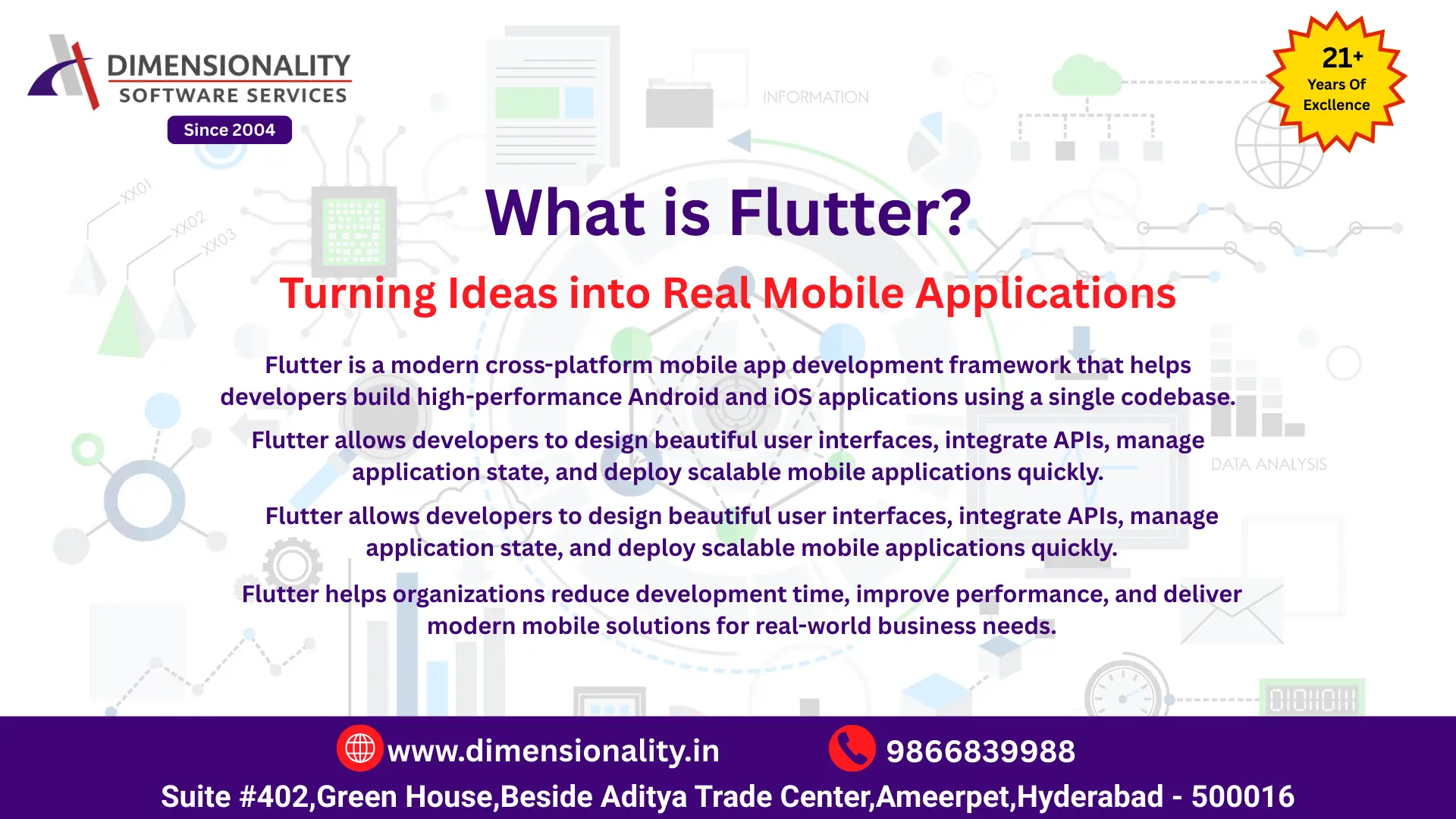
What is Flutter - Cross platform mobile app development framework for building Android and iOS applications using Flutter and Dart

Industry-Based Flutter App Development Projects

Our Flutter training includes hands-on, industry-based mobile app development projects designed to reflect real challenges faced by companies building modern mobile applications today. These projects help learners apply Flutter concepts in practical scenarios and gain real-world mobile app development experience.

What You Will Work On

  • Real-world mobile app projects from industries such as IT, finance, healthcare, e-commerce, and startups
  • End-to-end Flutter projects covering UI development, API integration, state management, and deployment
  • Business-driven mobile applications focused on user experience, functionality, and scalability
  • Flutter app development projects including authentication systems, API-based apps, and cloud integration
  • Mobile UI development using Flutter widgets, layouts, and Material Design principles
  • Real-world app development scenarios including login systems, dashboards, and data-driven apps
  • Backend integration using REST APIs, Firebase, and cloud services
  • Mobile application performance optimization and debugging
  • Deployment-ready mobile applications for Android and iOS platforms
  • Building complete Flutter apps from design to deployment

Why Industry-Based Projects Matter

Industry-based Flutter projects ensure that learners don’t just understand concepts — they learn how mobile applications are actually developed and used in real companies.

How Our Flutter Training Is Delivered

Our Flutter training program is delivered through a structured, practical, and industry-focused learning approach designed to match real mobile app development requirements. We focus not only on teaching concepts, but also on ensuring learners can build and deploy real mobile applications confidently in real-world scenarios.

Industry-Oriented Training Approach

  • Training is delivered by experienced Flutter developers and mobile app professionals with real industry experience
  • Concepts are explained with a strong focus on how Flutter is used in real mobile app development projects
  • Sessions are designed to build strong programming logic, UI development skills, and problem-solving abilities

Practical & Hands-On Learning

  • Hands-on Flutter development using real mobile app projects and business use cases
  • Step-by-step learning covering UI development, API integration, state management, and app deployment
  • Strong focus on practical mobile app development instead of theory-only teaching

Flexible Learning Modes

  • Instructor-led classroom training and online Flutter training options
  • Structured sessions suitable for students, working professionals, and career changers
  • Same curriculum, trainers, and quality learning experience across all training modes

Project-Based Flutter Training

  • Work on industry-based Flutter mobile app projects across different domains
  • End-to-end project experience to simulate real mobile app development workflows
  • Projects designed to strengthen your developer portfolio and interview confidence

Continuous Mentoring & Support

  • Ongoing doubt clarification and mentoring support during and after the training
  • Guidance for projects, Flutter developer interviews, and career direction
  • Support focused on helping learners become job-ready Flutter developers

FAQs for Flutter Course in Hyderabad