
INFILE Statement Options in SAS: FLOWOVER, MISSOVER, STOPOVER & TRUNCOVER Explained (Clinical SAS Guide 2026)
INFILE Statement Options in SAS Explained (Clinical SAS Guide 2026)
Introduction
When working with raw external datasets in SAS programming, handling incomplete records correctly is essential for maintaining data accuracy and integrity, especially in Clinical SAS programming environments.
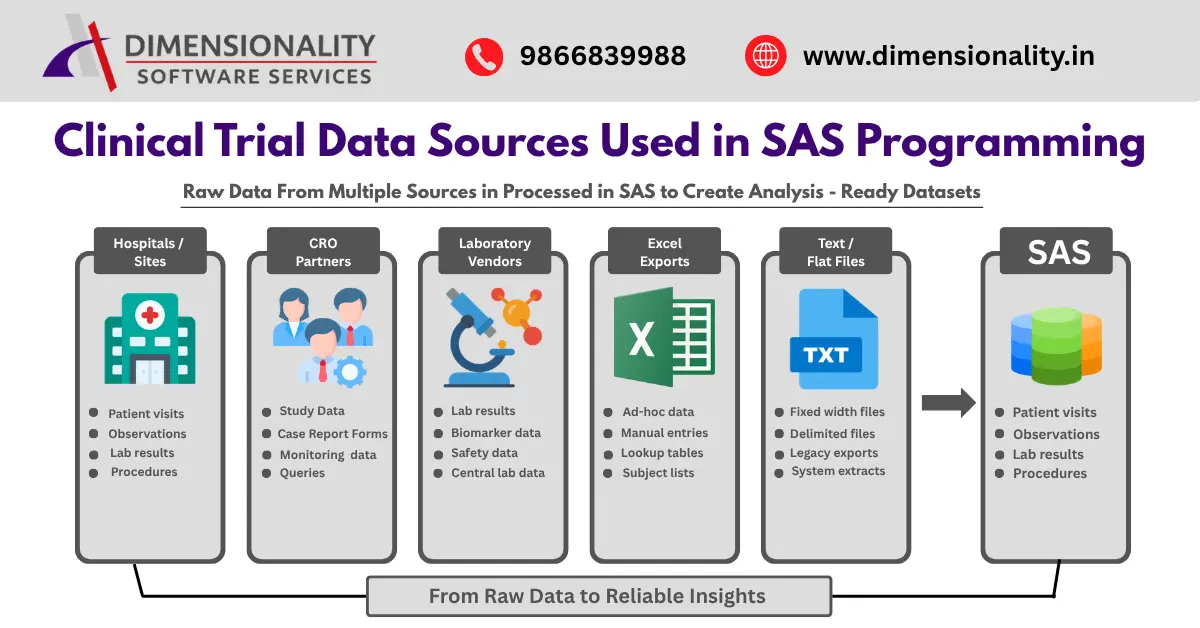
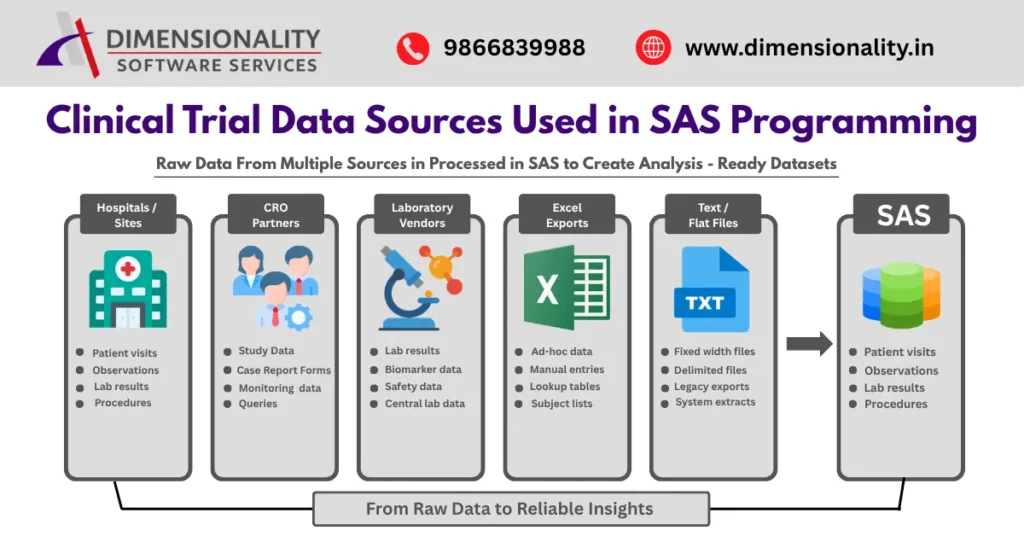
In real-world clinical trial projects, datasets often come from external sources such as
- laboratory vendors
- CRO partners
- hospitals
- legacy databases
- Excel exports
- text-based raw clinical data files
These files sometimes contain missing values, short records, or inconsistent formatting. If not handled properly, they can create serious issues like data shifting errors, incorrect observations, and regulatory compliance problems.
This is where INFILE statement options in SAS become extremely important.
The four key INFILE options used by Clinical SAS programmers are
- FLOWOVER
- MISSOVER
- TRUNCOVER
- STOPOVER
Understanding how and when to use these options helps ensure accurate dataset creation and CDISC-compliant clinical programming workflows.
What Are INFILE Statement Options in SAS?
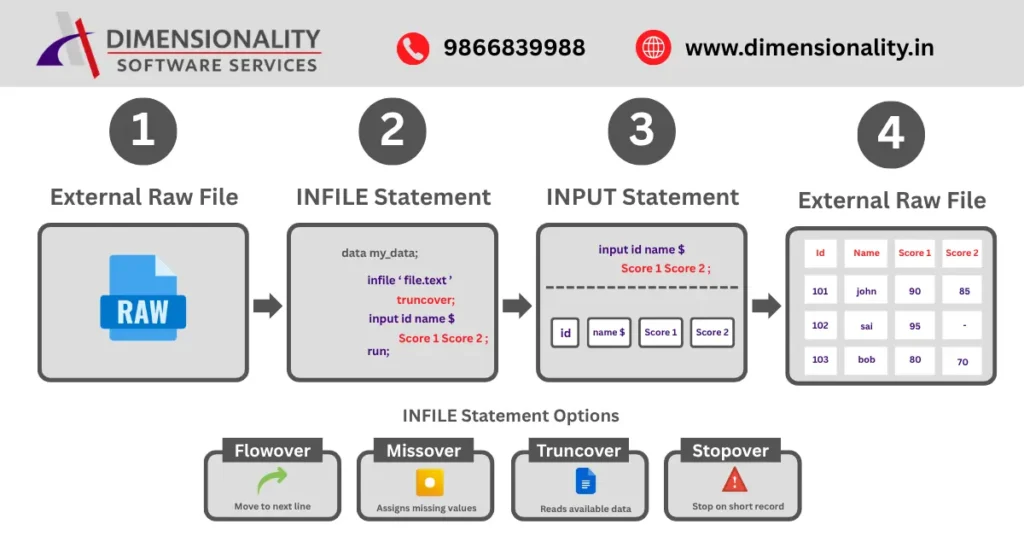
The INFILE statement in SAS is used to read external raw data files into SAS datasets.
Sometimes SAS reaches the end of a line before reading all variables listed in the INPUT statement. In those situations, SAS needs instructions on what action to take next.
That instruction is provided using INFILE options.
Example syntax:
data my_data;
infile ‘path’ truncover;
input id name $ score1 score2;
run;
These options control how SAS behaves when input data lines are shorter than expected and help maintain row-level data accuracy during dataset import operations.
Why INFILE Options Are Important in Clinical SAS Programming
In clinical trial programming, dataset accuracy is critical because
- regulatory submissions require clean datasets
- CDISC standards must be followed
- SDTM and ADaM datasets depend on correct input structure
- incorrect observations can affect statistical analysis
- FDA compliance depends on traceable datasets
If programmers do not handle short records properly, SAS may incorrectly read values from the next observation, which can corrupt the entire dataset.
That is why selecting the correct INFILE option is a best practice skill for Clinical SAS programmers in 2026
FLOWOVER Option in SAS
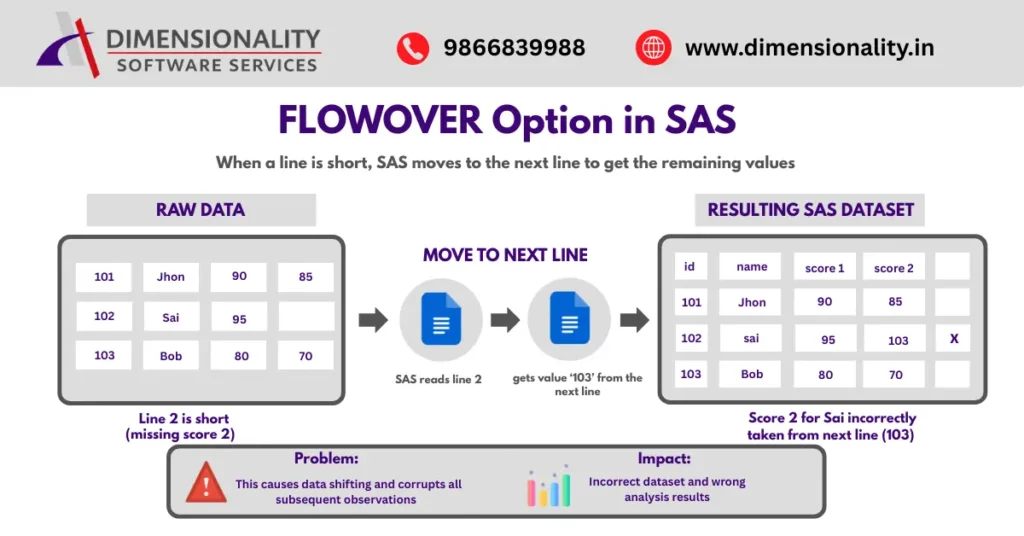
FLOWOVER is the default behavior of SAS when no other option is specified.
How FLOWOVER Works
If SAS reaches the end of a line before reading all variables, it automatically moves to the next line and continues reading remaining values.
Example:
101 John 90 85
102 Sai 95
103 Bob 80 70
Here, SAS reads:
Sai score2 = 103
This causes data shifting problems, where values from one observation move into another.
Advantages of FLOWOVER
- Works when records intentionally span multiple lines
- Useful for multi-line structured raw files
- Default SAS setting (no extra coding needed)
Disadvantages of FLOWOVER
- Causes observation shifting errors
- Corrupts datasets silently
- Not recommended for clinical datasets
Clinical SAS programmers generally avoid FLOWOVER unless multi-line records are intentionally designed.
MISSOVER Option in SAS
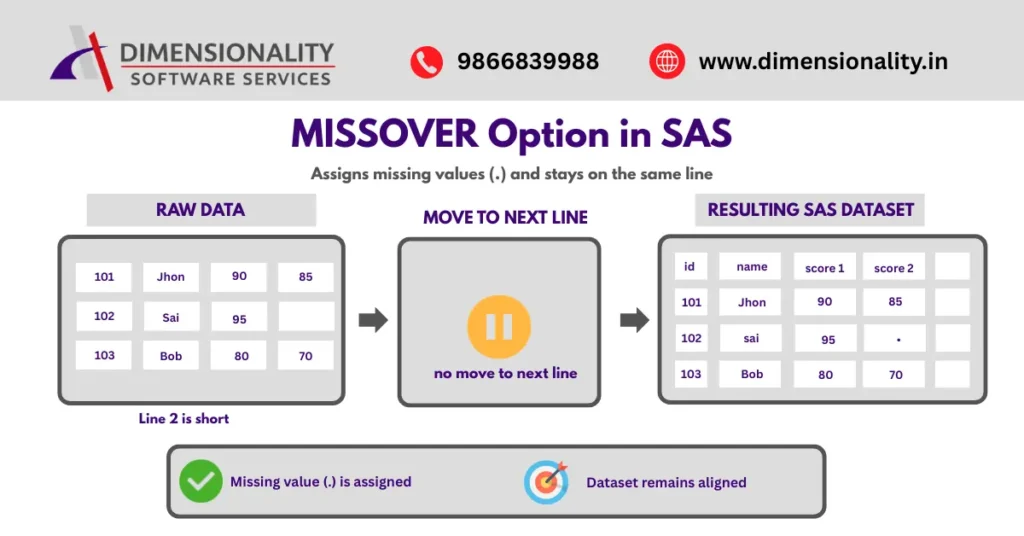
MISSOVER prevents SAS from reading the next line when data is missing.
Instead, SAS assigns missing values (.) to variables that are not available in the current record.
Example output:
102 Sai 95
This keeps the dataset correctly aligned.
Advantages of MISSOVER
- Maintains observation-level accuracy
- Prevents shifting across rows
- Works well for list input datasets
- Suitable for space-delimited files
Disadvantages of MISSOVER
- Does not capture partial column values
- May ignore incomplete fixed-width data issues
MISSOVER is widely used when working with simple external datasets in Clinical SAS workflows.
TRUNCOVER Option in SAS
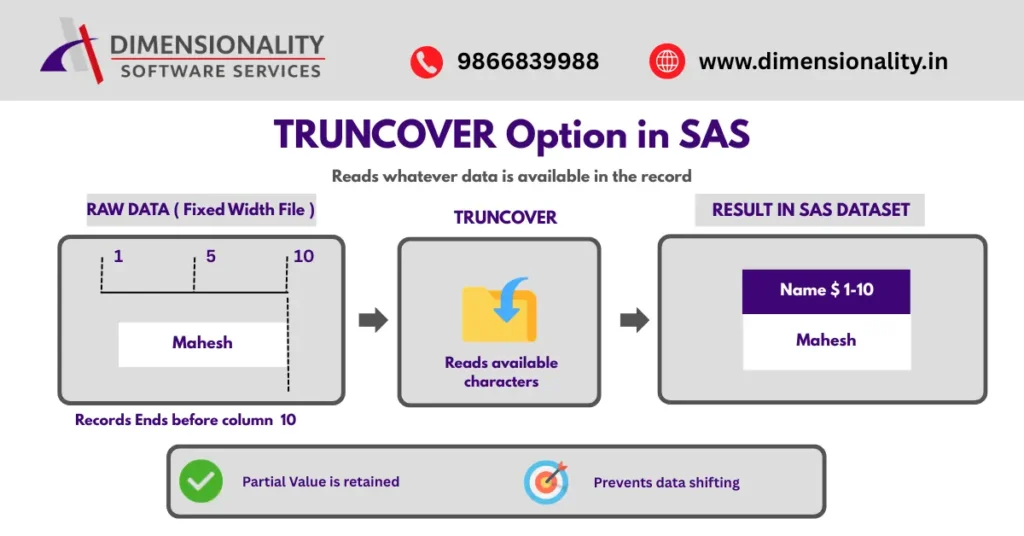
TRUNCOVER is the most commonly recommended option in Clinical SAS programming
It reads whatever portion of the variable exists before reaching the end of the line
Example:
input name $ 1-10;
If record contains:
mahesh
TRUNCOVER still reads:
mahesh
instead of assigning missing values.
Why TRUNCOVER Is Preferred in Clinical SAS
TRUNCOVER provides the best balance between
- flexibility
- accuracy
- dataset stability
- regulatory readiness
Because of these benefits, TRUNCOVER is often called the industry-standard INFILE option for fixed-width datasets. SAS Course for Pharmacy & Life Science Students – Industry-Focused Career Guide (2026) .
Advantages of TRUNCOVER
- Prevents data shifting errors
- Keeps partial column values safely
- Works well with fixed-format raw files
- Recommended in clinical trial dataset preparation
- Improvest dataset reliability during import
Disadvantages of TRUNCOVER
May hide truncated records if validation checks are not performed
For this reason, TRUNCOVER is usually combined with quality-control validation programming steps.
STOPOVER Option in SAS
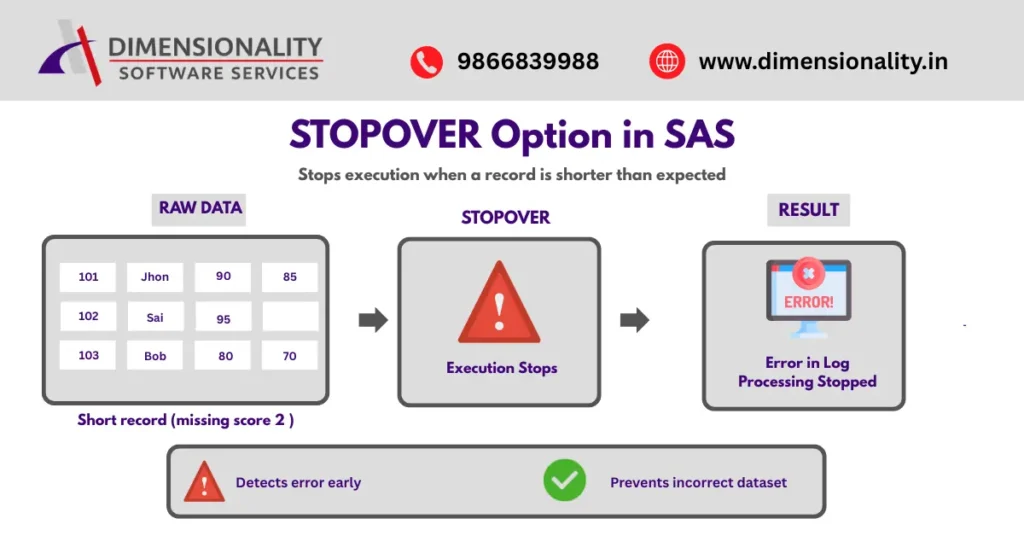
STOPOVER is the strictest INFILE option available in SAS
When SAS encounters incomplete data while using STOPOVER, it immediately stops execution and generates an error message
This prevents incorrect dataset creation
Advantages of STOPOVER
- Detects corrupted raw data quickly
- Prevents incorrect dataset creation
- Useful during validation stages
- Supports high-quality regulatory submissions
Disadvantages of STOPOVER
- Stops DATA step execution completely
- Requires manual correction before rerunning program
Because of its strict behavior, STOPOVER is mainly used during clinical dataset validation and quality-control programming workflows.
Comparison of FLOWOVER vs MISSOVER vs TRUNCOVER vs STOPOVER

| Option | Behavior | Clinical SAS Recommendation |
| FLOWOVER | Moves to next line | Avoid in most clinical datasets |
| MISSOVER | Assigns missing values | Good for list input files |
| TRUNCOVER | Reads partial available values | Best for fixed-width datasets |
| STOPOVER | Stops execution on error | Best for validation workflows |
This comparison helps programmers quickly decide which option to use in real-world scenarios.
Best Practice Strategy for Clinical SAS Programmers in 2026
Modern Clinical SAS training programs recommend the following strategy
Use TRUNCOVER when working with
- fixed-width datasets
- vendor raw files
- SDTM preparation inputs
Use MISSOVER when working with
- space-delimited datasets
- CSV-style text inputs
- simple structured raw files
Use STOPOVER during
- validation programming
- QC dataset preparation
- regulatory submission readiness checks
Avoid FLOWOVER unless the dataset structure specifically requires multi-line observations
Following this approach improves dataset quality and supports FDA-compliant clinical programming workflows
Conclusion
Understanding how INFILE statement options work is an essential skill for every Clinical SAS programmer
Each option serves a different purpose
- FLOWOVER continues reading next line automatically
- MISSOVER assigns missing values safely
- TRUNCOVER preserves partial column values
- STOPOVER stops execution when errors occur
Among all four options, TRUNCOVER is the most recommended choice in real-world clinical programming environments.
Mastering these options helps programmers create accurate datasets, maintain regulatory compliance, and improve overall data reliability in clinical trial analysis.Clinical SAS Certification Worth It – 2026 Salary, Scope & ROI Guide