Creating Data in SAS Using INPUT and CARDS – A Beginner-Friendly Guide (2026)
Creating Data in SAS Using INPUT and CARDS – A Beginner-Friendly Guide (2026)
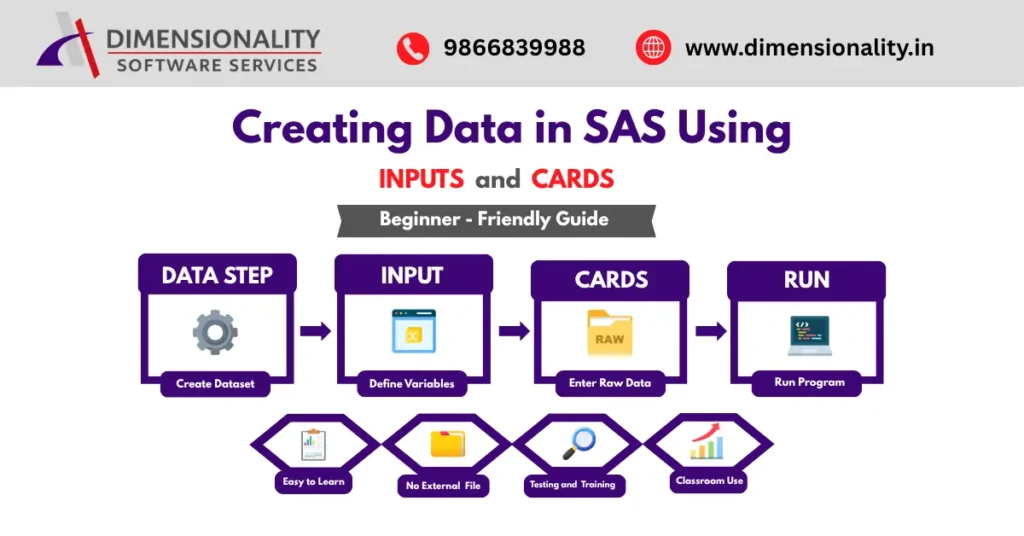
Creating datasets is one of the first and most important skills every SAS learner must understand. If you are starting your journey in Clinical SAS programming through Clinical SAS training in Hyderabad, learning how to create data in SAS using INPUT and CARDS statements is essential. These statements help programmers manually enter raw data directly inside SAS programs without using external files like Excel or CSV.
In this article, you will learn everything about creating data in SAS using INPUT and CARDS, including syntax, examples, variable types, input styles, errors, advantages, and practical applications.
What is Data Creation in SAS?
Before performing statistical analysis, reporting, or clinical data processing, SAS users must first create datasets. The dataset acts as the foundation for all further analysis steps.
In SAS programming, dataset creation happens inside the DATA step, which tells SAS:
- Dataset name
- Variable definitions
- Data values structure
- Storage format
For beginners, the easiest method to create datasets is using:
For beginners, the easiest method to create datasets is using:
INPUT statement + CARDS statement
This approach is simple and widely used during SAS training and testing programs explained in our Clinical SAS training guide 2026.
Understanding the DATA Step in SAS
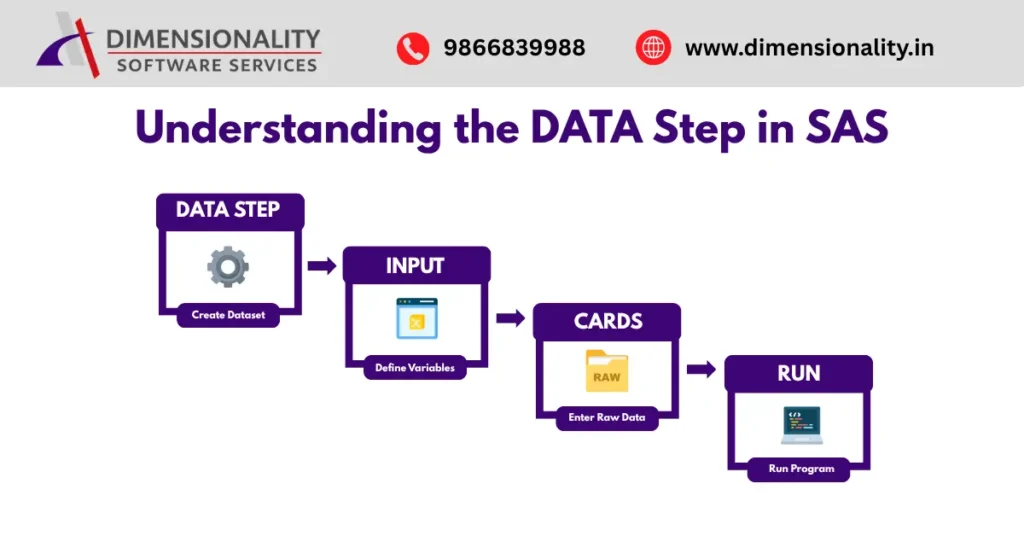
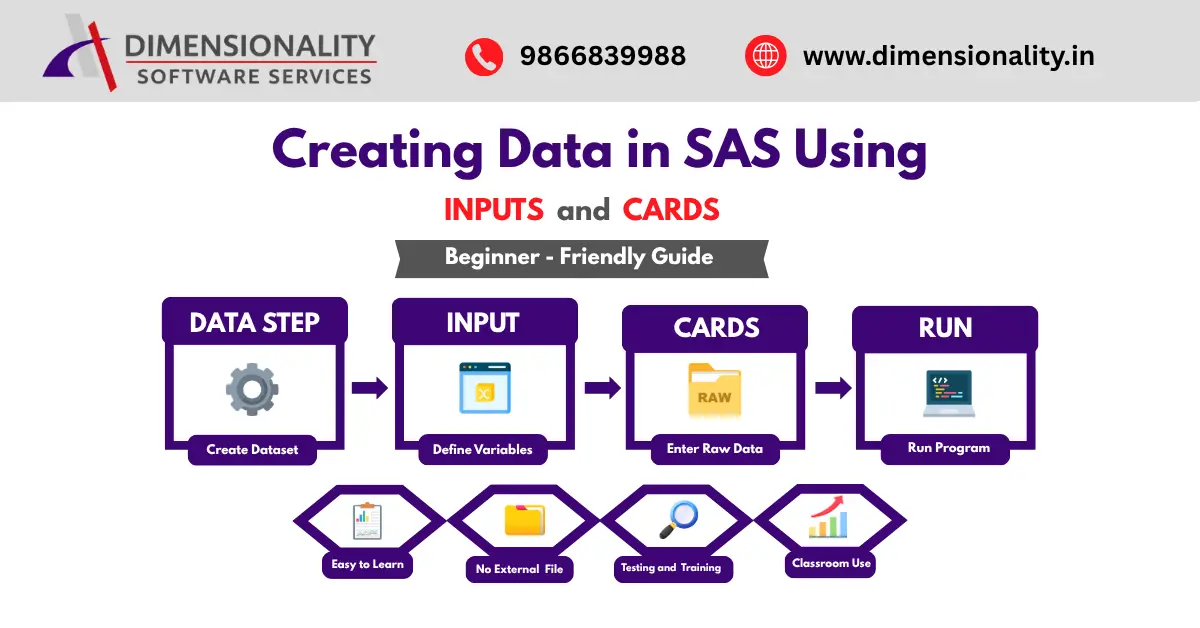
The DATA step is used to create and modify datasets in SAS.
Basic syntax:
DATA dataset_name;
INPUT variable_list;
CARDS;
data_values;
;
RUN;
Here:
- DATA creates dataset
- INPUT defines variables
- CARDS provides raw data
- RUN executes the program
This structure forms the base of dataset creation in SAS programming.
What is the INPUT statement in SAS?
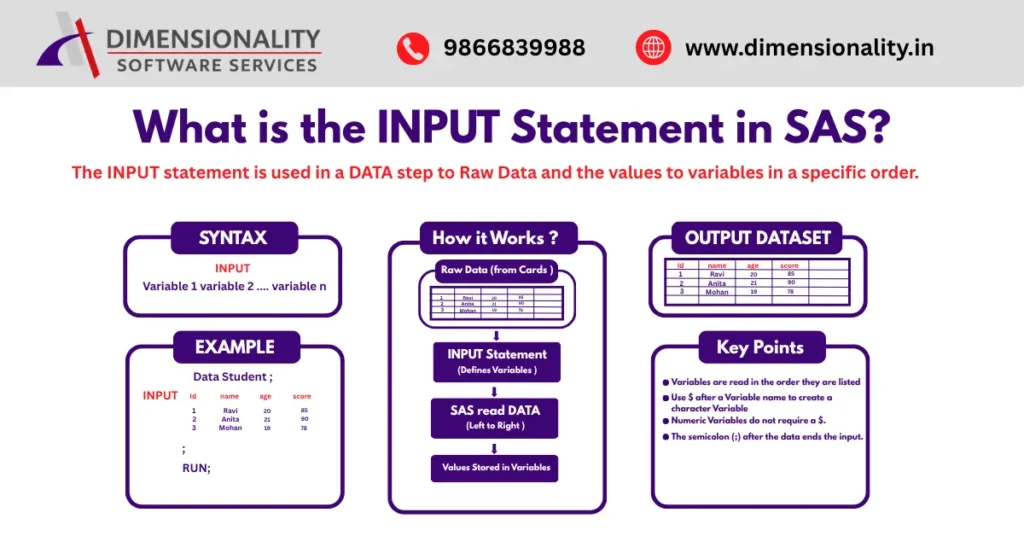
The INPUT statement in SAS is used to read raw data and assign values to variables. It tells SAS:
The INPUT statement in SAS is used to read raw data and assign values to variables. It tells SAS:
- variable names
- variable types
- reading order of data
Example:
INPUT id name $ age salary;
Explanation:
- id → numeric variable
- name → character variable ($ symbol required)
- age → numeric variable
- salary → numeric variable
Understanding the INPUT statement is critical for beginners learning Clinical SAS programming fundamentals covered in our introduction to SAS programming for clinical studies.
Types of Variables in SAS INPUT Statement
There are two major variable types:
Numeric Variables
Numeric variables store numbers and support calculations.
Example:
INPUT id age marks;
These variables can be used for statistical analysis.
Character Variables
Character variables store text values such as names or codes.
Example:
INPUT name $;
Always remember:
Character variables must include $
This is a common beginner mistake in SAS learning.
What is the CARDS statement in SAS?
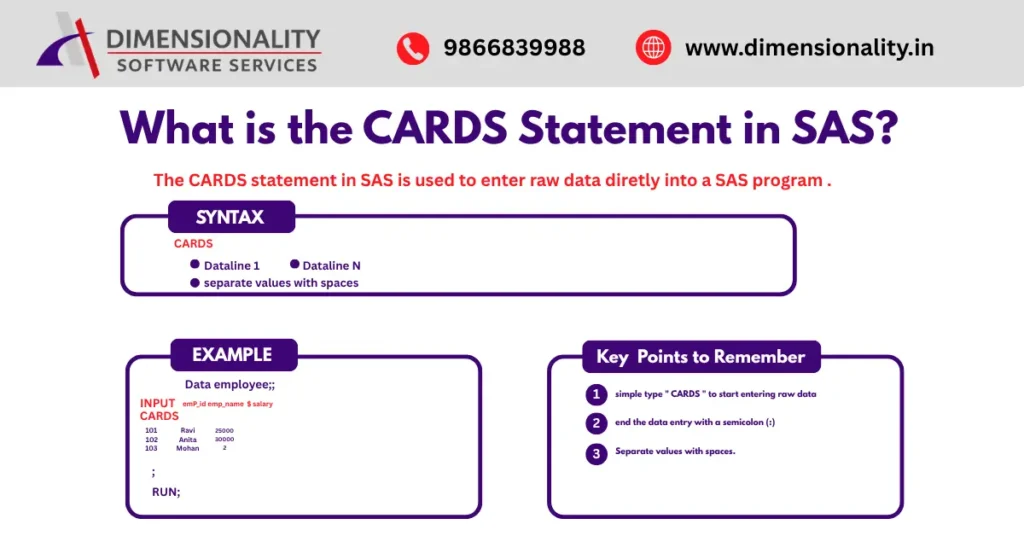
The CARDS statement in SAS allows programmers to manually enter data directly inside the SAS program.
It tells SAS:
Raw data starts here
Data continues line by line
Data ends with a semicolon (;)
Example:
CARDS;
101 Ramesh 25000
102 Suresh 30000
103 Meena 28000
;
Modern SAS versions also support:
DATALINES;
Both statements perform the same function.
Creating Data in SAS Using INPUT and CARDS – Example
Here is a complete example: –
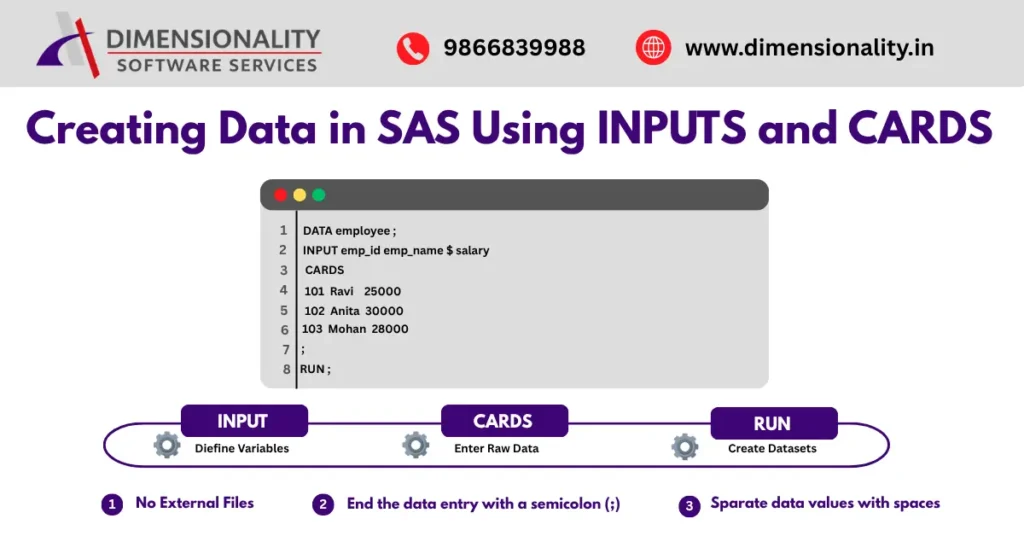
DATA employee;
INPUT emp_id emp_name $ salary;
CARDS;
101 Ramesh 25000
102 Suresh 30000
103 Meena 28000
;
RUN;
Output:
Dataset named employee is created with three observations.
This method is extremely useful for:
- SAS beginners
- Clinical SAS learners
- Training demonstrations
- Testing SAS logic
List Input Method in SAS
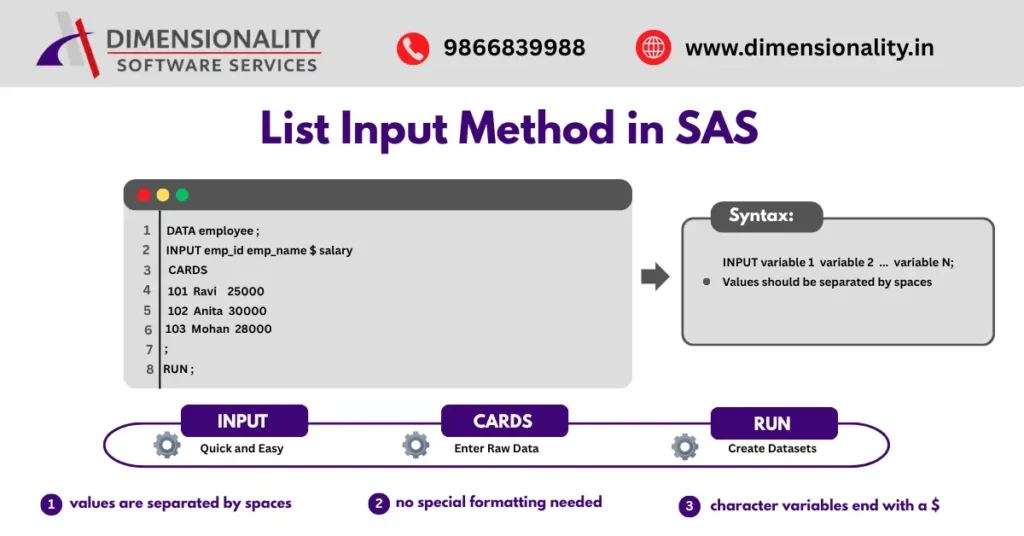
The list input method is the most commonly used INPUT style.
In this method:
Data values are separated by spaces.
Example:
DATA student;/
INPUT roll_no name $ age;
CARDS;
1 Ravi 18
2 Anita 19
3 Mohan 20
;
RUN;
This method is simple and beginner friendly.
Modified List Input Method
Modified list input helps read formatted numbers like:
- currency
- comma values
- special characters
Example:
INPUT salary comma8.;
Example values:
25,000
30,000
40,000
SAS correctly interprets these numeric values.
Column Input Method in SAS
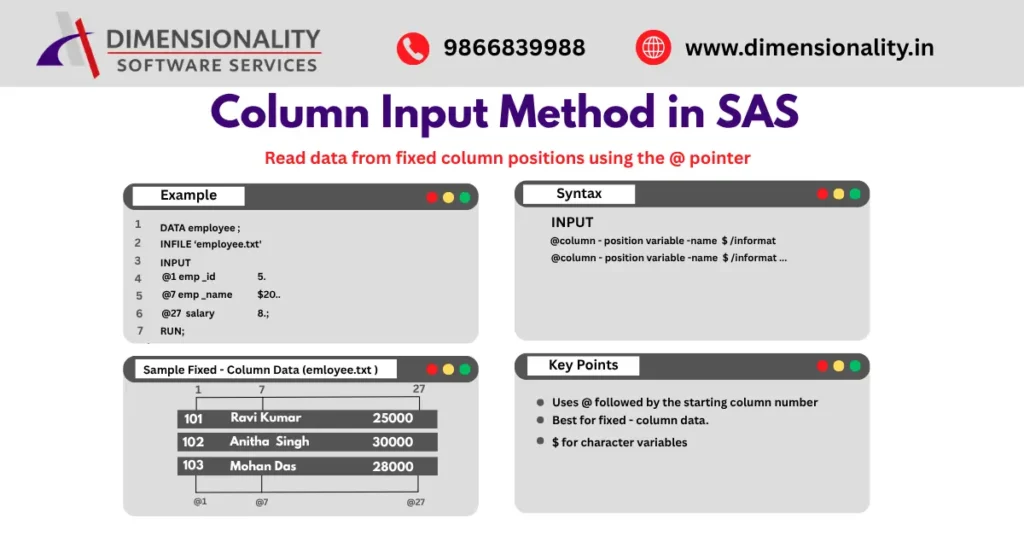
Column input reads data from fixed column positions.
Example:
INPUT name $ 1-10 age 12-13;
This method is useful when reading structured reports or legacy datasets.
It is commonly used in clinical trial datasets preparation.
Handling Missing Values in SAS INPUT Statement
Missing numeric values are represented using:
Example:
INPUT id score;
CARDS;
1 85
2 .
3 90
;
Handling missing values correctly is important in clinical SAS data validation.
Reading Multiple Observations in One Line
SAS allows reading multiple records in one line using:
@@
Example:
INPUT id age @@;
CARDS;
1 18 2 19 3 20
;
This improves coding efficiency when working with compact datasets.
Common Errors When Using INPUT and CARDS
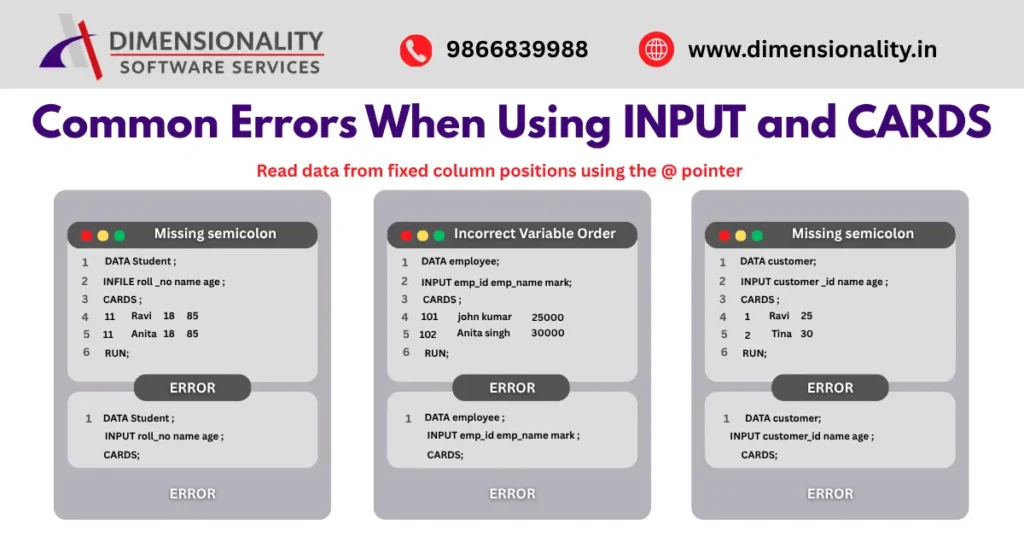
Beginners often face these errors:
Missing Dollar Symbol
Character variables must include $
Example mistake:
INPUT name age;
Correct version:
INPUT name $ age;
Missing Semicolon
Always end CARDS data with:
;
Otherwise SAS keeps reading data incorrectly.
Incorrect Variable Order
Data values must follow the same order as INPUT variables.
Example:
INPUT id age name $;
Data must follow the same order.
Advantages of Using INPUT and CARDS in SAS
Creating data using INPUT and CARDS provides several benefits:
- Easy to learn
- No external file required
- Best for beginners
- Useful for testing programs
- Ideal for classroom demonstrations
This is why every Clinical SAS training program in Hyderabad teaches this method first.
Limitations of INPUT and CARDS Statement
Despite its advantages, this method has some limitations:
- Not suitable for large datasets
- Manual entry increases errors
- Time-consuming for real-world projects
- Limited automation support
For real clinical projects, datasets are usually imported from external sources.
Practical Applications of INPUT and CARDS in Clinical SAS
This technique is widely used for:
- Learning SAS programming basics
- Creating sample datasets
- Practicing SDTM mapping logic
- Testing ADaM dataset programs
- Demonstrating statistical concepts
Because of its simplicity, it remains one of the most important beginner-level SAS skills.
Conclusion
Learning creating data in SAS using INPUT and CARDS statements is the first step toward mastering SAS programming. It helps beginners understand how SAS reads variables, stores values, and builds datasets. Although this method is mainly used for learning and testing purposes, it plays a critical role in building a strong foundation for advanced topics like Clinical SAS, SDTM, and ADaM programming.
If you are planning a career in Clinical SAS, mastering INPUT and CARDS statements is your starting point toward becoming a professional SAS programmer.