SAS Variable Type Conversion: INPUT vs PUT Functions Explained
SAS Variable Type Conversion: INPUT vs PUT Functions Explained
In SAS programming, data is stored using two fundamental variable types: numeric and character. Understanding how to work with these variable types is essential for data management, analysis, reporting, and clinical programming.
In real-world projects, particularly in clinical research, data may come from different sources and systems. A value that should be numeric may sometimes be received as a character string. Similarly, a numeric value may need to be converted into character format for reporting or dataset presentation.
This is where SAS variable type conversion becomes important. SAS provides explicit conversion methods through the INPUT and PUT functions, along with formats and informats. Using these functions correctly helps programmers prepare consistent datasets and avoid errors during analysis.
For professionals beginning their career in Clinical SAS, understanding these concepts is an important part of learning SAS programming. If you are looking for structured training, you can explore Clinical SAS Training in Hyderabad.
What Is Variable Type Conversion in SAS?
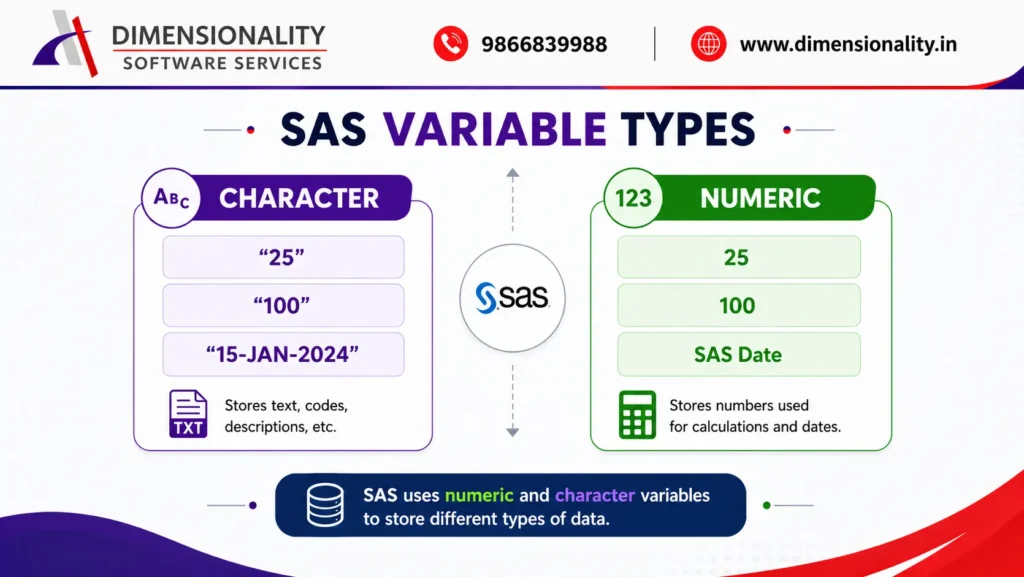
Variable type conversion means changing a variable from one data type to another.
SAS primarily works with:-
- Numeric variables – used for numbers and mathematical calculations.
- Character variables – used for text, codes, descriptions, and other non-numeric values.
For example, “25” stored as character is different from 25 stored as numeric.
A character value cannot be directly used in mathematical calculations in the same way as a numeric value. Therefore, programmers may need to convert the character value into numeric form.
Likewise, a numeric value may need to be converted into character form for display or reporting.
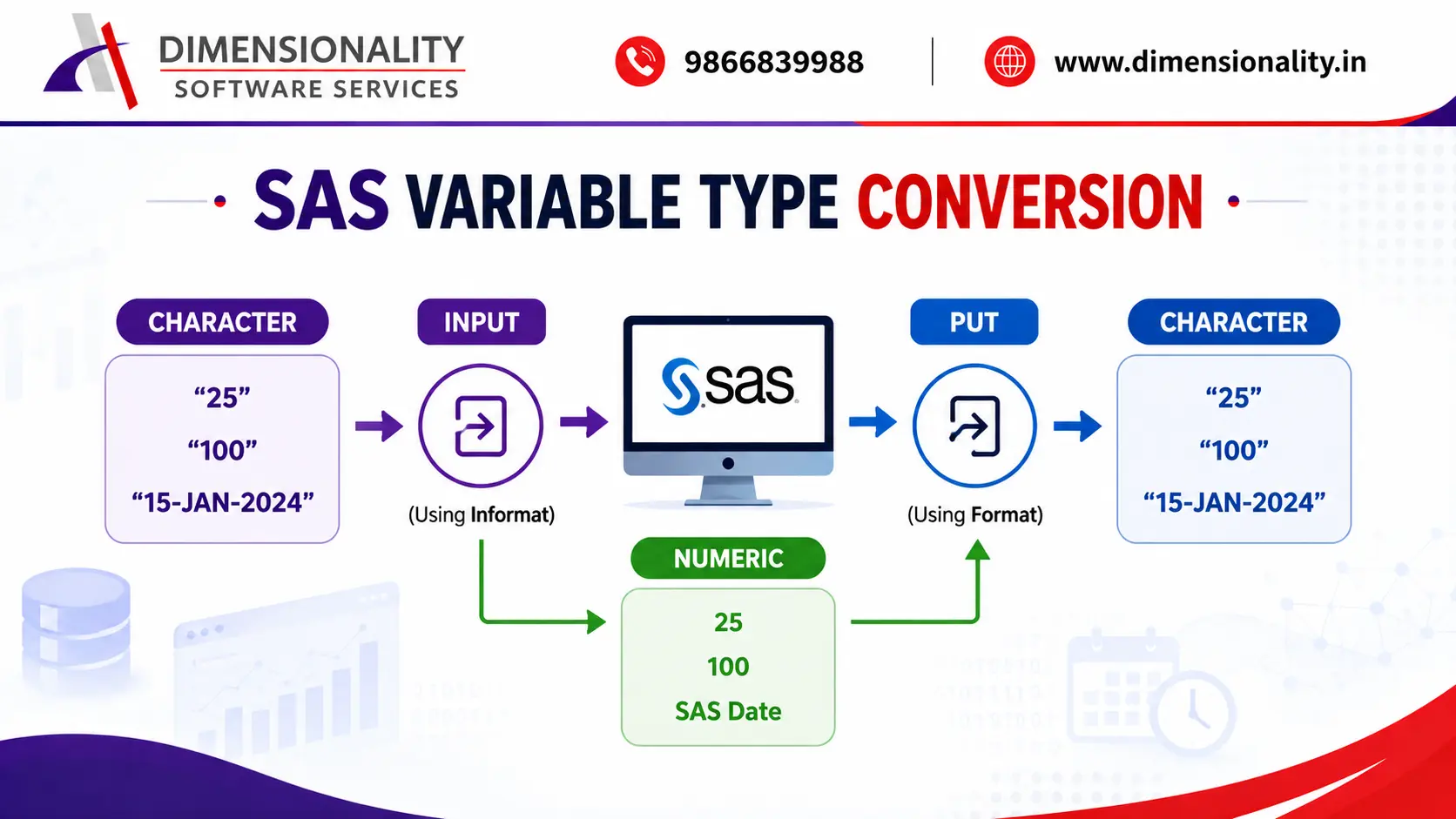
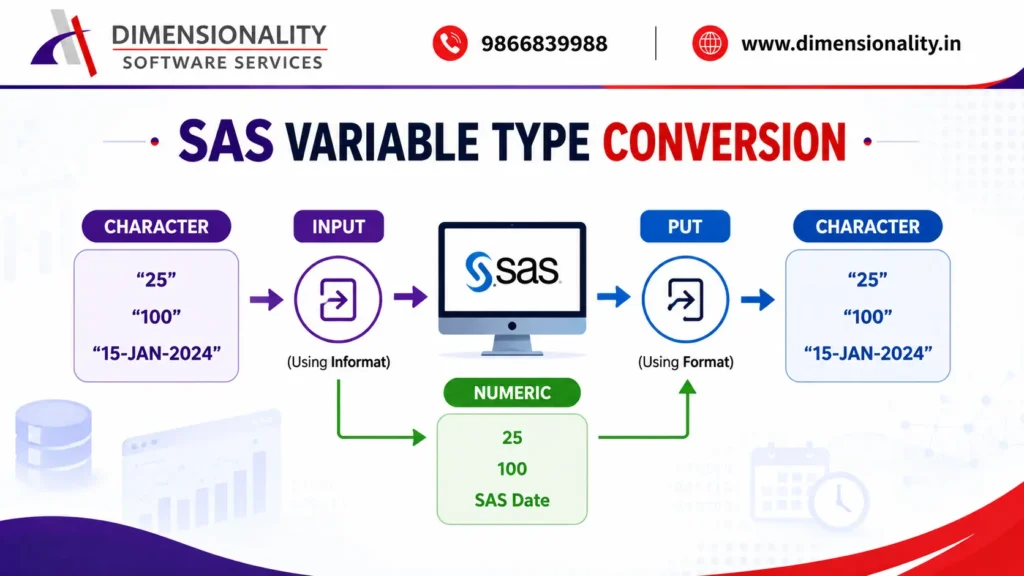
The two major SAS functions used for explicit conversion are:-
| Function | Conversion | Uses |
| INPUT | Character → Numeric | Reading character values as numbers, dates, times |
| PUT | Numeric → Character | Creating character values for display and reporting |
Understanding this distinction is one of the foundations of SAS programming.
INPUT Function: Character to Numeric Conversion
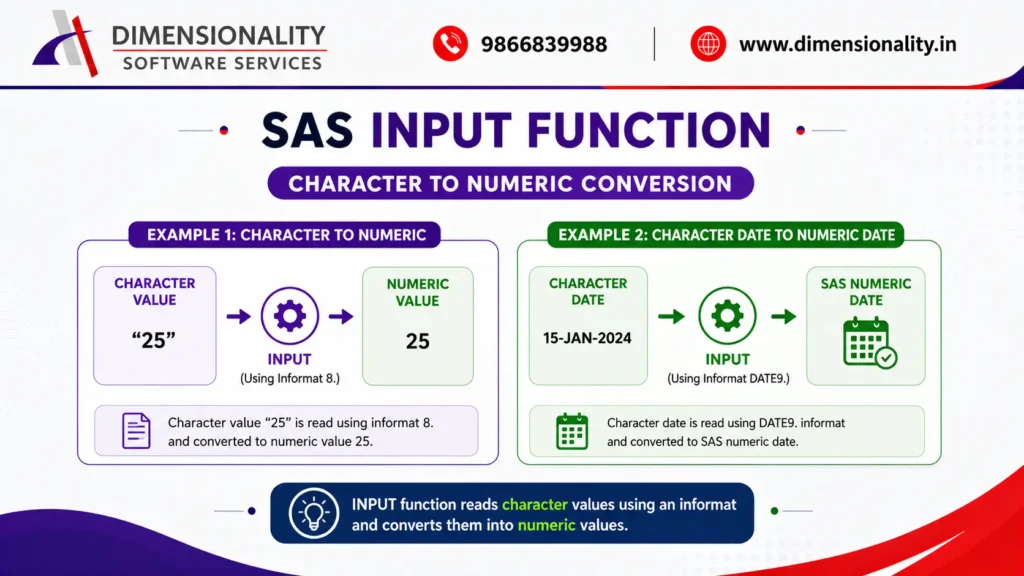
The INPUT function converts a character value into a numeric value by reading the character value according to an informat.
General Syntax
numeric_variable = input(character_variable, informat.);
The INPUT function is commonly used when numeric information is stored as character data.
Example: Character to Numeric
- data ex_input1;
- char_age = ’25’;
- num_age = input(char_age, 8.);
- run;
Here, char_age is a character variable containing “25”. The INPUT function reads the character value using the 8. informat and creates num_age as a numeric variable.
The resulting value is numeric 25, which can be used for calculations.
- For example:
- .
- data example;
- char_age = ’25’;
- num_age = input(char_age, 8.);
- age_plus_5 = num_age + 5;
- run;
The numeric variable can now participate in mathematical operations.
Converting Character Dates Using INPUT
INPUT is also frequently used when dates are received as character values.
- For example:
- .
- data ex_input2;
- char_date = ’15-JAN-2024′;\
- num_date = input(char_date, date9.);
- format num_date date9.;
- run;
The DATE9. informat interprets the character date and converts it into a SAS numeric date.
Although the underlying SAS date is numeric, applying the DATE9. format makes it display as:
15-JAN-2024
This distinction between the stored value and the displayed value is important when working with SAS dates.
If you want to understand SAS programming more broadly before moving into clinical applications, our guide What Is Clinical SAS Programming? provides useful background.
PUT Function: Numeric to Character Conversion
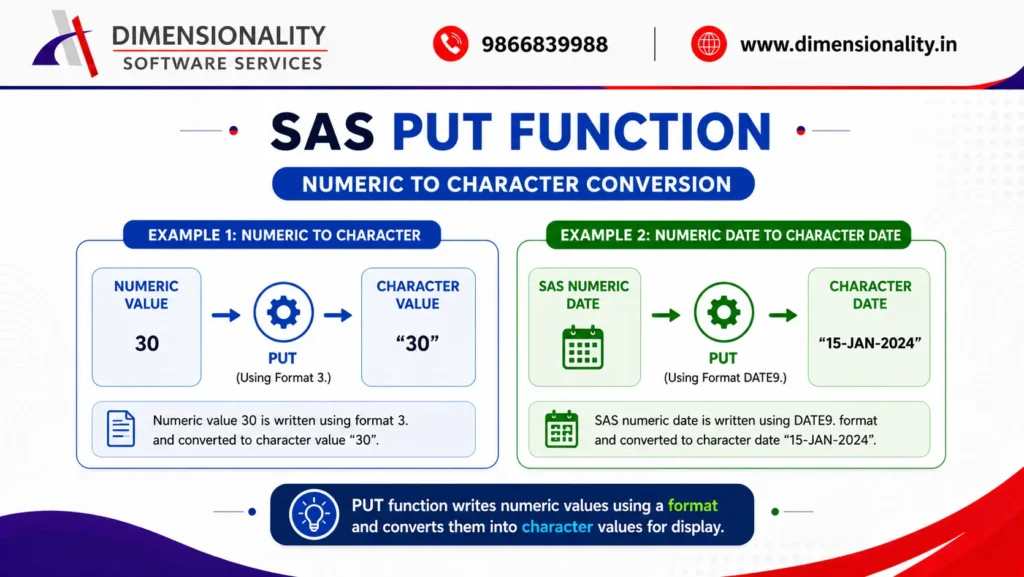
The PUT function performs the opposite conversion. It converts a numeric value into a character value using a format.
General Syntax
character_variable = put(numeric_variable, format.);
The output produced by PUT is always character.
Example: Numeric to Character
- data ex_put1;
- num_age = 30;
- char_age = put(num_age, 3.);
- run;
Here, num_age is numeric and contains the value 30.
The PUT function converts it into a character value.
Therefore:
- num_age → Numeric
- char_age → Character
The conversion is useful when a numeric value needs to be represented as text.
Converting Numeric Dates Using PUT
PUT can also be used to create a character representation of a SAS date.
char_date = put(num_date, date9.);
If num_date contains a valid SAS date, the DATE9. format converts it into a character value such as:
15-JAN-2024
This is particularly useful when a date needs to be presented in a specific character representation.
INPUT vs PUT: What Is the Difference?
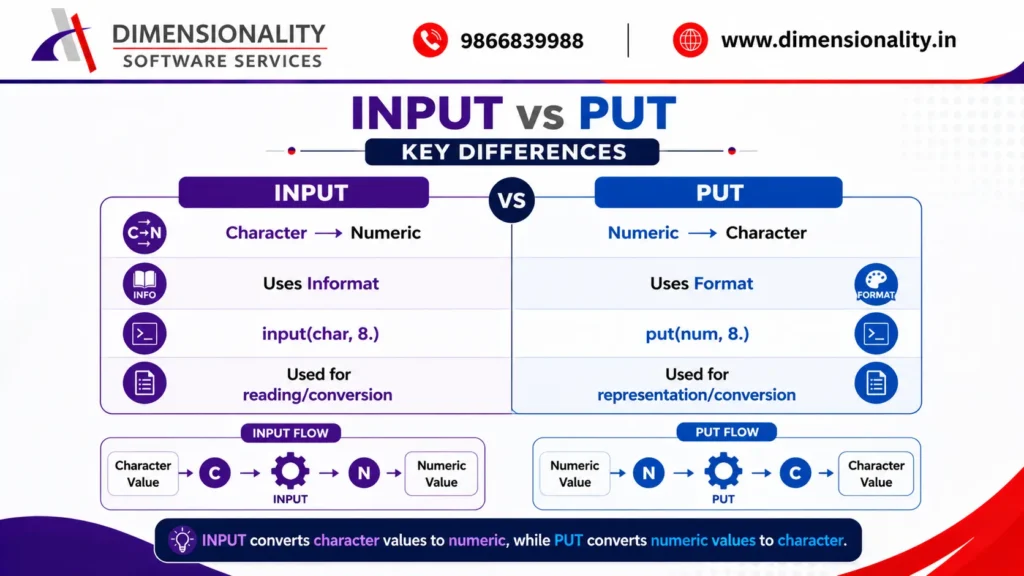
One of the easiest ways to remember the difference is:-
INPUT reads character data into a numeric variable.
PUT writes numeric data into a character representation.
A simple rule is:-
- INPUT = Character → Numeric
- PUT = Numeric → Character
For example:-
- num_value = input(char_value, 8.);
- converts character to numeric.
- Whereas:
- char_value = put(num_value, 8.);
- converts numeric to character.
Remembering the direction of conversion helps prevent one of the most common mistakes made by beginners in SAS.
Formats vs Informats in SAS
Formats and informats have different purposes.
An informat tells SAS how to read incoming data. This is why INPUT commonly works with informats.
A format tells SAS how to display a stored value. This is why PUT commonly works with formats.
For example:
- num_date = input(char_date, date9.);
- format num_date date9.;
Here, DATE9. is used as an informat during INPUT and as a format when displaying the numeric date.
Understanding formats and informats becomes especially valuable when working with dates, times, numeric values, and clinical datasets.
Variable Type Conversion in Clinical SAS Programming
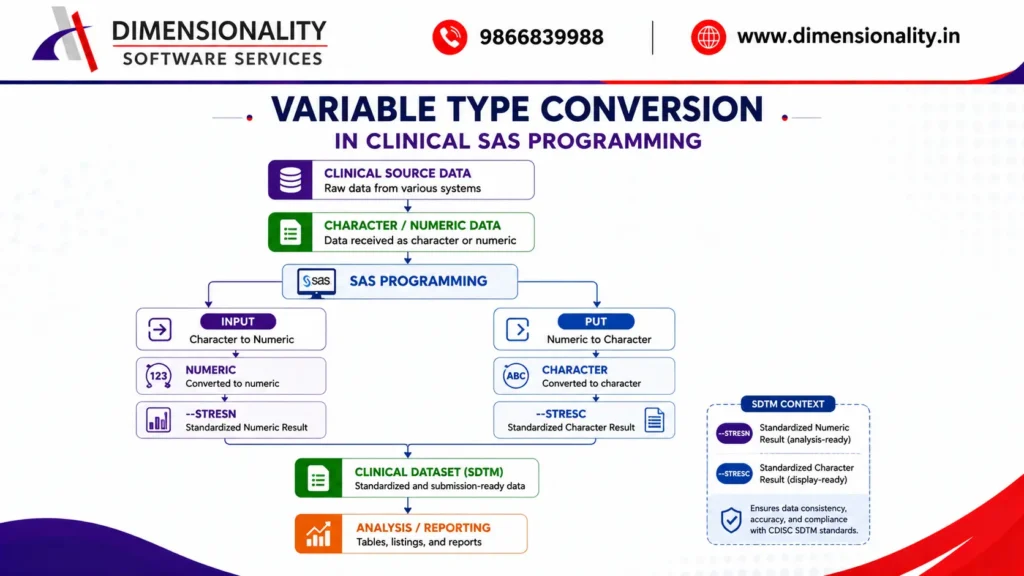
Variable conversion is especially important in Clinical SAS programming, where data may be collected from different systems and transformed into standardized structures.
For example, clinical laboratory results may require both numeric and character representations.
A numeric result can be maintained for analysis, while a character representation can be retained for standardized display or reporting purposes.
In CDISC SDTM programming, variables such as –STRESN are generally used for standardized numeric results, while –STRESC represents the corresponding character result.
The exact transformation depends on the dataset structure, source data, and applicable CDISC specifications.
This is why Clinical SAS programmers need a strong understanding of both SAS programming fundamentals and clinical data standards.
If you are planning to build a career in this area, our Clinical SAS Course – Complete Training Guide (2026) covers the broader learning path and skills involved in Clinical SAS.
Common Mistakes to Avoid
Beginners often confuse INPUT and PUT because both are used for conversion. Keep these points in mind:-
- Using PUT for Character-to-Numeric Conversion
- PUT produces a character result. It should not be used when the objective is to create a numeric variable.
- Use:
- num_value = input(char_value, 8.);
- Using INPUT for Numeric-to-Character Conversion
- INPUT reads character values and creates numeric results. For numeric-to-character conversion, use PUT.
- char_value = put(num_value, 8.);
- Confusing Storage With Display
- A SAS date is stored as a numeric value even though it may be displayed as 15-JAN-2024.
- Using a format changes the display, not the underlying variable type.
- Ignoring the Appropriate Informat or Format
- The correct informat or format should match the structure of the source data. For example, a character date such as 15-JAN-2024 requires an appropriate date informat.
Why INPUT and PUT Are Important for SAS Programmers
INPUT and PUT are simple functions, but they are used extensively in real-world SAS programming.
They help programmers:
- Convert incompatible variable types
- Prepare data for statistical analysis
- Standardize source data
- Handle character dates and numeric dates
- Create reporting variables
- Prepare clinical datasets
- Support data integration
- Reduce type-related programming issues
For students from pharmacy and life-science backgrounds, these concepts are particularly useful when moving from academic knowledge into clinical data programming. You can also explore our SAS Course for Pharmacy & Life Science Students – Industry-Focused Career Guide (2026) to understand how SAS skills can be applied to clinical research careers.
Best Practices for Variable Type Conversion
When performing variable conversion in SAS, follow these practices:
- Understand the original variable type before converting it.
- Choose INPUT for character-to-numeric conversion.
- Choose PUT for numeric-to-character conversion.
- Use the appropriate informat or format for the data.
- Validate converted values before using them in analysis.
- Check for missing or invalid character values.
- Avoid unnecessary conversions when the original variable type is already appropriate.
- Follow project and clinical data standards when preparing submission datasets.
These practices help create SAS programs that are easier to understand, maintain, validate, and reuse.
Conclusion
SAS variable type conversion is a fundamental skill for every SAS programmer. Since SAS works primarily with numeric and character variables, understanding how to move between these types is essential for effective data processing.
The two most important functions are INPUT and PUT. INPUT converts character values into numeric values, while PUT converts numeric values into character values. Formats and informats determine how SAS interprets or displays the data.
In Clinical SAS programming, these concepts become particularly important when transforming source data, handling dates, creating standardized variables, and preparing datasets for analysis and reporting.
By mastering INPUT, PUT, formats, and informats, beginners can build a strong SAS programming foundation and move confidently toward more advanced Clinical SAS and CDISC programming concepts.