
Top 5 SAS Statements Every Beginner Must Learn (With Examples)
Top 5 SAS Statements Every Beginner Must Learn (With Examples)

When working with SAS programming, SAS Operators are one of the most important concepts every beginner should understand. Whether you’re performing mathematical calculations, comparing values, filtering observations, or creating new variables, SAS operators help make your programs accurate and efficient.
Whether you are just starting with Base SAS or preparing for a Clinical SAS interview, it is important to understand these statements. If you’re looking for Clinical SAS Training in Hyderabad, mastering these statements is one of the first steps toward becoming a successful SAS programmer.
If you’re exploring the best training options, you can also read our guide on Clinical SAS Training Institutes in Hyderabad with Placements.
In this article, you will learn the five most commonly used SAS statements:-
1. KEEP Statement
2. DROP Statement
3. RENAME Statement
4. RETAIN Statement
5. LABEL Statement
Each section explains what the statements do, provides syntax, includes examples, offers interview tips, highlights common mistakes, and suggests best practices.
What Are SAS Statements?
A SAS statement is an instruction that tells SAS what action to take.
These statements form the foundation of every SAS program.
To understand how these statements are used in real-world clinical trials, read our article on SAS Programming for Clinical Studies.
For instance, SAS statements enable you to:-
- Create datasets
- Remove variables
- Rename variables
- Preserve variable values
- Add descriptive labels
- Control how data is processed
Without these statements, handling large datasets would be more difficult and take more time.
Why Are SAS Statements Important?
SAS statements help programmers write more efficient, readable, and optimized code.
Students from pharmacy, biotechnology, and life sciences can explore our SAS Course for Pharmacy & Life Science Students to understand how these statements are applied in Clinical SAS projects.
The benefits include:-
- Reducing dataset size
- Improving program performance
- Making reports easier to understand
- Enhancing coding standards
- Preparing clean data for analysis
- educing memory usage
These statements are frequently used in Clinical SAS projects.
KEEP Statement in SAS
What Is the KEEP Statement?
The KEEP statement specifies which variables should appear in the output dataset.
Instead of keeping all variables from the original dataset, SAS only includes the ones listed in the KEEP statement.This helps reduce storage space and speeds up processing.
For complete syntax and additional examples, refer to the Official SAS Documentation.
Advantages:-
- Reduces dataset size
- Improves execution speed
- Keeps only necessary variables
- Makes datasets easier to understand
- Syntax (Statement)
- data new;
- set old;
- keep Name Age Salary;
- run;
- Syntax (Dataset Option)
- data new;
- set old (keep=Name Age Salary);
- run;
- Example
- Suppose the original dataset includes:-
- ID
- Name
- Age
- Gender
- Salary
- Department
- If you only need Name, Age, and Salary:
- data Employee;
- set Company;
- Keep Name, Age, Salary;
- run;
- Output:
- Name
- Age
- Salary
When to Use KEEP
Use the KEEP statement when:-
- Only a few variables are needed
- Creating reports
- Exporting datasets
- Reducing memory usage
Interview Question
Question:-
What is the difference between the KEEP statement and the KEEP dataset option?
Answer:-
The KEEP statement affects the variables in the output dataset, while the KEEP dataset option is used to select variables as the input dataset is read.
DROP Statement in SAS
What Is the DROP Statement?
The DROP statement removes unwanted variables from the output dataset.
Instead of specifying which variables to keep, you list the ones you want to exclude.This is useful when you only need to remove a few unnecessary columns.
You can also explore the SAS Language Reference for more information about dataset options.
Advantages
- Removes unwanted variables
- Keeps datasets clean
- Reduces storage requirements
- Improves readability
- Syntax (Statement)
- data new;
- set old;
- drop Gender Department;
- run;
- Syntax (Dataset Option)
- data new;
- set old(drop=Gender Department);
- run;
- Example
- Original dataset:
- | ID | Name | Age | Gender | Salary |
- Remove Gender.
- data Employee;
- set Company;
- drop Gender;
- run;
- Output:
- | ID | Name | Age | Salary |
When to Use DROP
Use the DROP statement when: –
- Most variables are needed
- Only a few columns should be removed
- Cleaning datasets before reporting
Interview Question
Question:-
When should you use DROP instead of KEEP?
Answer:-
Use DROP when only a few variables need to be removed.
Use KEEP when only a few variables are required.
KEEP vs DROP Statement
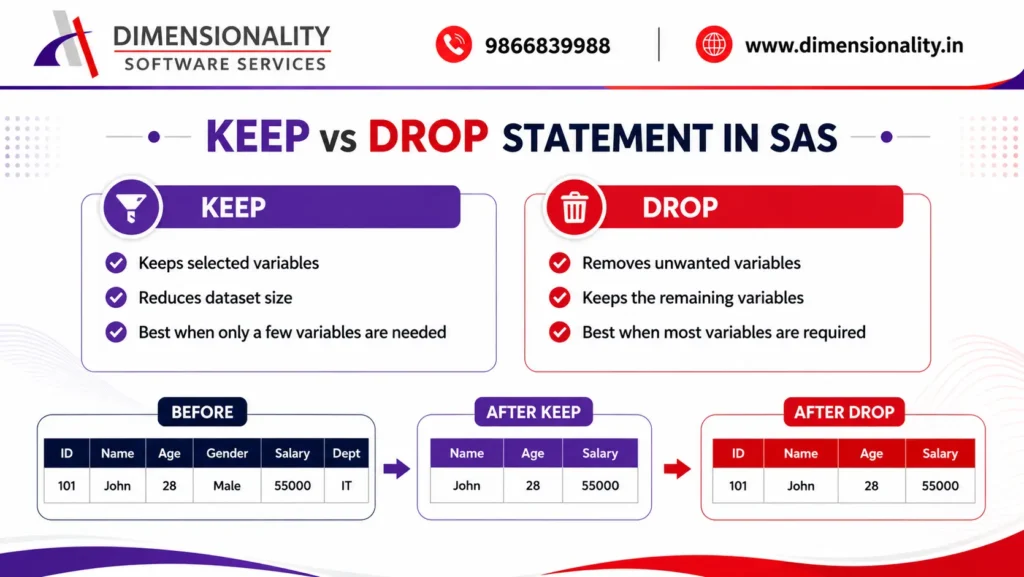
| Feature | KEEP | DROP |
|——–|——|——|
| Purpose | Select required variables | Remove unwanted variables |
| Output | Only specified variables | All except dropped variables |
| Best Used When | Need few variables | Need most variables |
RENAME Statement in SAS
What Is the RENAME Statement?
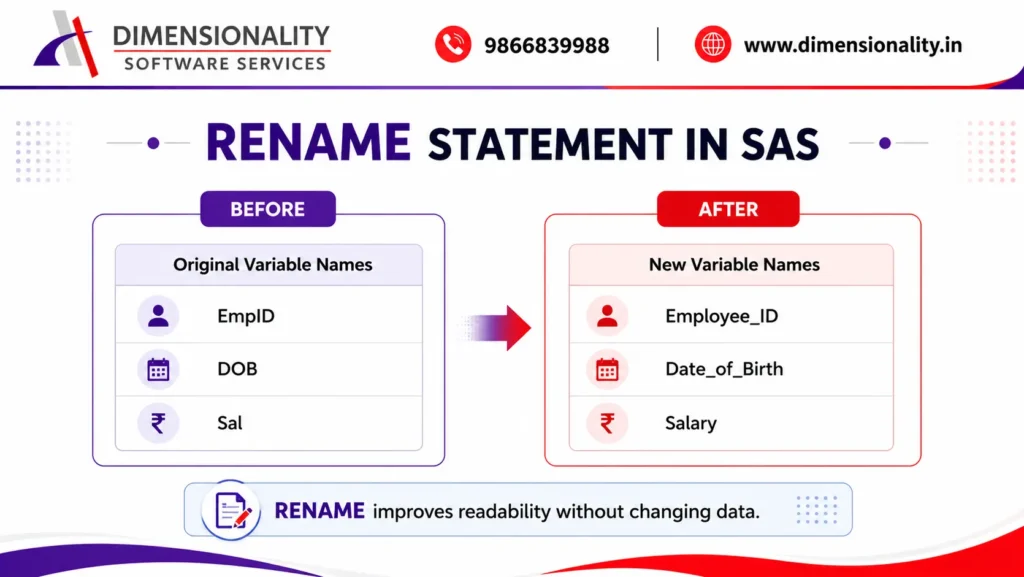
The RENAME statement changes the names of variables without changing their values.
Renaming variables makes data easier to understand and follows project naming conventions.
The SAS DATA Step Documentation explains additional ways to rename variables.
Advantages
- Makes variable names meaningful
- Supports CDISC naming standards
- Improves readability
- Makes reporting easier
- Syntax
- data new;
- set old;
- rename EmpID=Employee_ID
- Sal=Salary;
- run;
- Dataset Option
- data new;
- set old(rename=(EmpID=Employee_ID Sal=Salary));
- run;
Example
- Before:
- | EmpID | Sal |
- After:
- | Employee_ID | Salary |
Best Practices
- Choose names that are:-
- Short
- Descriptive
- Easy to understand
- Consistent across projects
Interview Question
Question:-
Can you rename multiple variables?
Answer
Yes.
- rename A=B
- C=D
- E=F;
RETAIN Statement in SAS
What Is the RETAIN Statement?
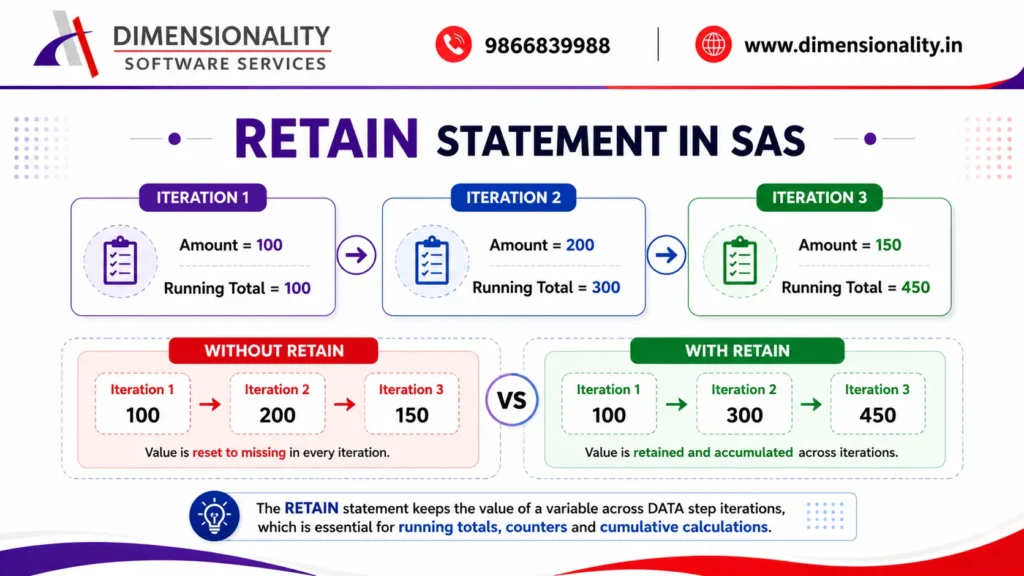
By default, SAS resets variables to missing values during each iteration of the DATA step.
The RETAIN statement tells SAS to keep variable values between iterations.It is often used for running totals, counters, running balances, and sequence numbers.
- Why RETAIN Is Needed
- Without RETAIN:
- Total = Total + Salary;
- The value of Total resets to missing in each iteration.
- Using RETAIN:
- retain Total 0;
- Total + Salary;
- Now SAS keeps the previous value.
- Syntax
- data new;
- retain Total 0;
- run;
- Example
- data Sales_Total;
- set Sales;
- retain Total 0;
- Total + Amount;
- run;
- Output:
- Amount
- Total
- 100
- 100
- 200
- 300
- 300
- 600
- 400
- 1000
Common Uses
- Running total
- Record counter
- Sequence number
- Running balance
- Cumulative calculations
The Official RETAIN Statement Documentation provides more advanced examples for cumulative calculations.
Interview Question
Question:-
What happens if RETAIN is not used?
Answer:-
SAS resets variables to missing before every iteration, so cumulative calculations do not work correctly.
LABEL Statement in SAS
What Is the LABEL Statement?
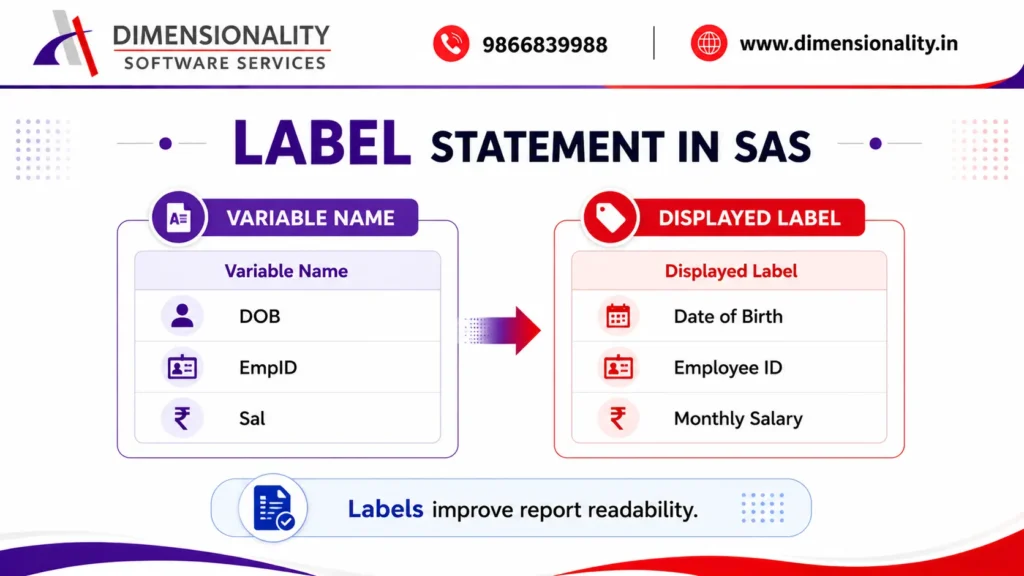
The LABEL statement adds descriptive labels to variables.
Labels make reports easier to understand without changing variable names.For example:
Variable Name: DOB
Label: Date of Birth
Advantages
- Improves report presentation
- Makes variables easy to understand
- Helpful in PROC PRINT
- Useful in Clinical SAS reports
- Syntax
- data Employee;
- set Company;
- label Salary=”Monthly Salary”
- DOB=”Date of Birth”;
- run;
- Example
- Variable Name: DOB
- Displayed Label: Date of Birth
- Using LABEL in PROC PRINT
- proc print data=Employee label;
- run;
The LABEL option in PROC PRINT displays variable labels instead of variable names.
You can learn more in the PROC PRINT Documentation provided by SAS.
Best Practices
- Keep labels descriptive
- Avoid overly long labels
- Use title case for consistency
- Follow project standards
Common Mistakes Beginners Make
Many new users make the following mistakes:
- Using KEEP instead of DROP
- Forgetting to use RETAIN for cumulative calculations
- Renaming variables after using the old names
- Assuming that LABEL changes variable names
- Mixing dataset options with DATA step statements incorrectly
Understanding these differences will help you avoid them.
Best Practices for Using SAS Statements
Follow these recommendations:
- Use meaningful variable names.
- Choose KEEP when selecting only a few variables.
- Use DROP when removing only a few variables.
- Apply LABEL statements for user-friendly reports.
- Use RETAIN only when values must persist across iterations.
- Keep your code properly formatted and commented.
- Test your programs with sample datasets before production use.
Frequently Asked Questions (FAQs)
- What are SAS statements?
- SAS statements are commands that instruct SAS to perform specific tasks, such as creating datasets, modifying variables, or generating reports.
- What is the difference between KEEP and DROP?
- The KEEP statement selects variables to include in the output dataset, while the DROP statement removes specified variables and keeps the rest.
- Why is the RETAIN statement important?
- The RETAIN statement preserves variable values across DATA step iterations, making it essential for cumulative totals and running calculations.
- .Does the LABEL statement change variable names?
- No. The LABEL statement only changes how variables are displayed in reports. The original variable names remain unchanged.
- Can the RENAME statement rename multiple variables?
- Yes. You can rename multiple variables in a single RENAME statement by specifying multiple old-name=new-name pairs.
Conclusion
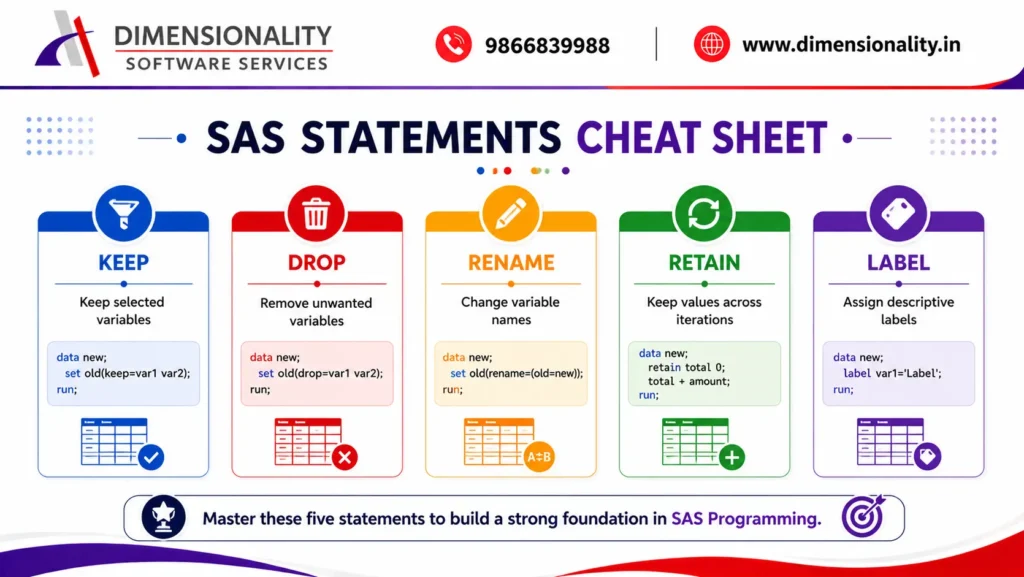
The KEEP, DROP, RENAME, RETAIN, and LABEL statements are among the most important tools in SAS programming. Mastering these statements will help you write cleaner, faster, and more efficient SAS code while preparing you for real-world Clinical SAS projects and technical interviews.
If you are just starting with SAS, practice each statement using sample datasets and experiment with different scenarios. Building a strong understanding of these core statements will make it easier to learn advanced DATA step programming, procedures, and Clinical SAS concepts.
If you want to build a successful career in Clinical SAS, don’t miss our Clinical SAS Course – Complete Training Guide, where we explain the complete learning roadmap from beginner to advanced.