FIRSTOBS, OBS, KEEP, and DROP Options in SAS—Complete Beginner’s Guide with Examples (2026)
FIRSTOBS, OBS, KEEP, and DROP Options in SAS – Complete Beginner’s Guide with Examples (2026)
FIRSTOBS, OBS, KEEP, and DROP Options in SAS
When working with large datasets in SAS, it is not always necessary to process every observation or every variable.
SAS offers several useful options such as FIRSTOBS, OBS, KEEP, and DROP that allow you to read only the required observations or variables.This helps make your programs faster, more efficient, and easier to manage.
Whether you are learning Clinical SAS Training in Hyderabad or working on real-world healthcare projects, understanding these options is essential.
In this guide, you will learn:-
- What the FIRSTOBS option is
- What the OBS option is
- What the KEEP option is
- What the DROP option is
- The syntax and examples
- Best practices
- The difference between KEEP and DROP
- Interview questions
What are FIRSTOBS and OBS Options in SAS?
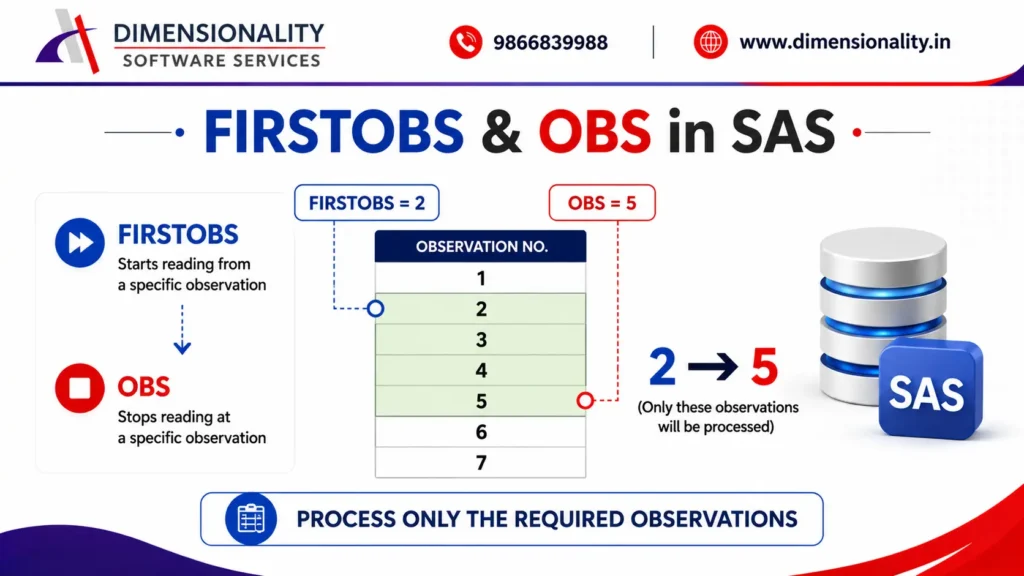
The FIRSTOBS and OBS options are used to read only a selected range of observations from a dataset.
Instead of processing the entire dataset, SAS processes only the observations you specify.
These options are commonly used during: –
- Testing SAS programs
- Debugging code
- Reading sample data
- Working with large datasets
- Improving program execution time
If you’re searching for the best learning path, check out our guide on Clinical SAS Training Institutes in Hyderabad with Placements.
FIRSTOBS Option in SAS
- The FIRSTOBS option tells SAS from which observation it should start reading.
- Syntax:-
- FIRSTOBS=n
- Where n represents the starting observation number.
- Example:-
- Suppose a dataset contains 100 observations.
- If you specify:-
- FIRSTOBS=10
- SAS ignores observations 1 to 9 and starts reading from observation 10.
- Example Using INFILE
- data dm;
- infile cards firstobs=2;
- input subjid age sex $;
- cards;
- 101 23 Male
- 102 32 Female
- 103 28 Male
- 104 31 Female
- 105 26 Female
- ;
- run;
- Output starts reading from:
- 102
- 103
- 104
- 105
- The first record is skipped.
OBS Option in SAS
The OBS option specifies the last observation SAS should read.
- Syntax:
- OBS=n
- Example: –
- OBS=5
- SAS reads only observations 1 through 5.
Remaining observations are ignored.
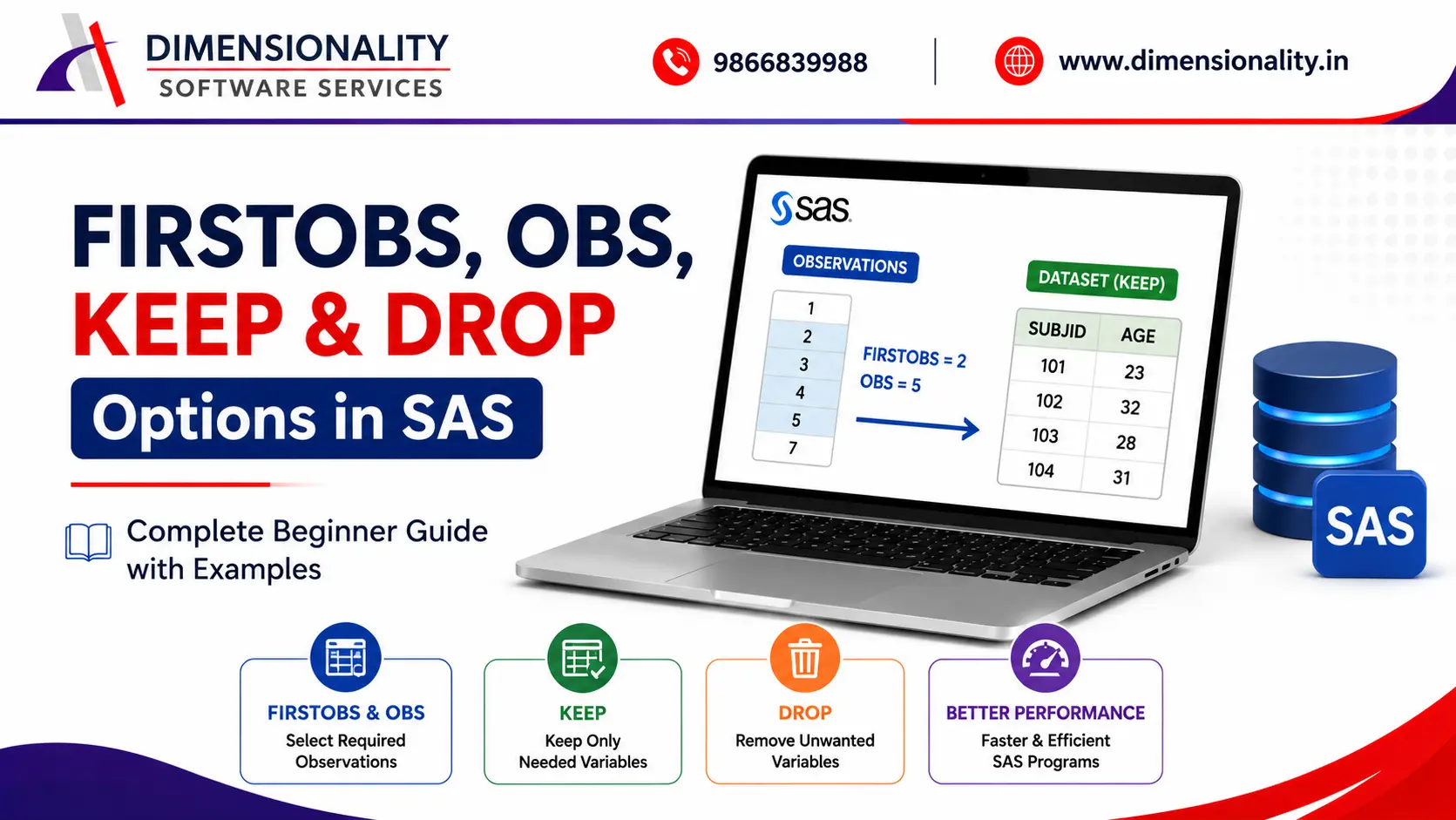
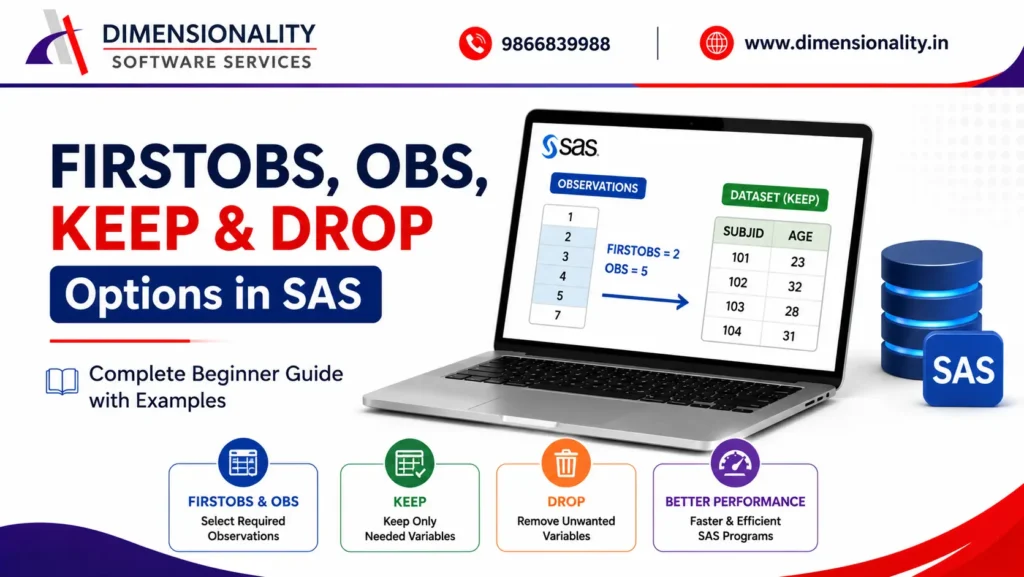
Using FIRSTOBS and OBS Together
The real power comes when both options are used together.
- Example: –
- FIRSTOBS=2
- OBS=5
- SAS processes only observations:-
- 2
- 3
- 4
- 5
FIRSTOBS and OBS Examples
- data dm;
- infile cards firstobs=2 obs=5;
- input subjid age sex $;
- cards;
- 101 23 Male
- 102 32 Female
- 103 28 Male
- 104 31 Female
- 105 26 Female
- 106 29 Male
- ;
- run;
- proc print data=dm;
- run;
- Output
- SUBJID
- AGE
- SEX
- 102
- 32
- Female
- 103
- 28
- Male
- 104
- 31
- Female
- 105
- 26
- Female
Only observations 2 to 5 are processed.
Where Can FIRSTOBS and OBS Be Used?
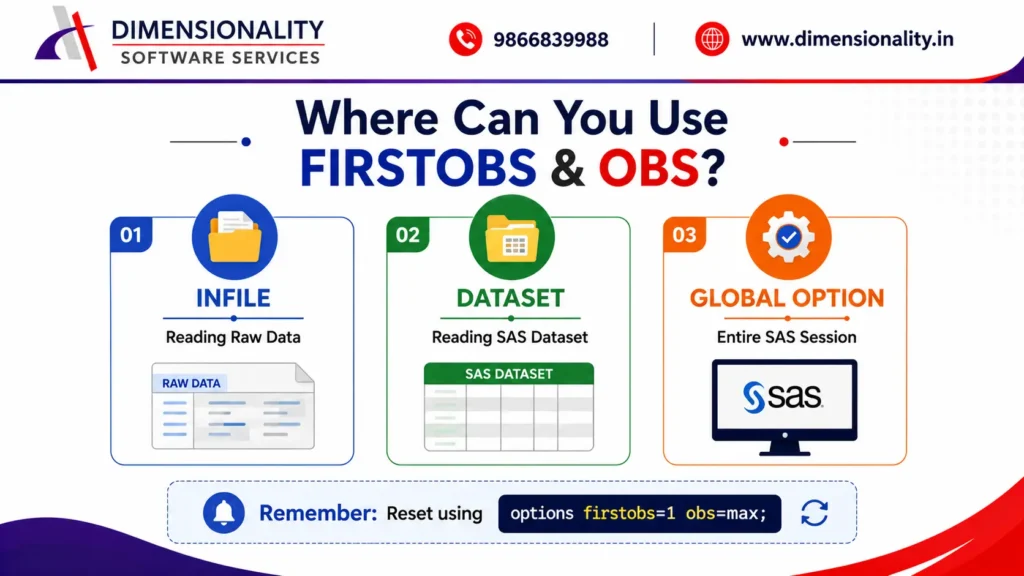
These options can be used in multiple places.
- 1.
- INFILE Option
- infile cards firstobs=2 obs=5;
- Useful while reading raw data.
- 2.
- Dataset Option
- proc print data=dm(firstobs=2 obs=5);
- run;
- Reads only the required observations.
- 2.
- Dataset Option
- proc print data=dm(firstobs=2 obs=5);
- run;
- Reads only the required observations.
- 3.
- Global System Option
- options firstobs=2 obs=5;
- data dmnew;
- set dm;
- run;
- Since this affects the SAS session globally, reset the options afterward.
options firstobs=1 obs=max;
This restores normal processing.
Important Note
Using FIRSTOBS and OBS as global options affects every dataset processed afterward.
Therefore, always reset them using:
options firstobs=1 obs=max;
This is considered a good programming practice.
What are KEEP and DROP Options in SAS?
Unlike FIRSTOBS and OBS, which work on observations (rows), KEEP and DROP work on variables (columns).
These options help you select only the variables required for analysis.
Benefits include:–
- Smaller datasets
- Better performance
- Less memory usage
- Faster execution
- Cleaner output
KEEP Option in SAS
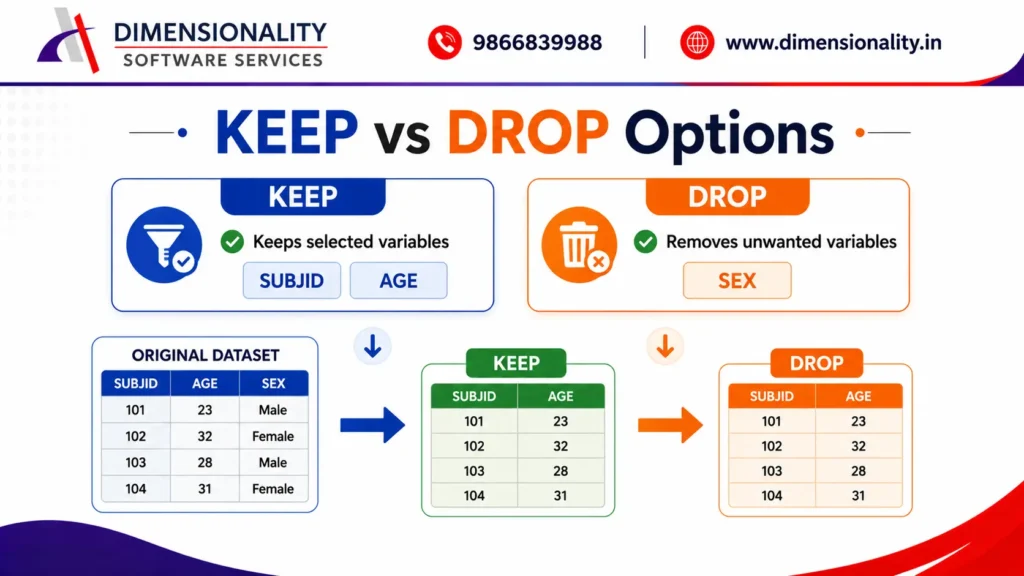
The KEEP option retains only the specified variables.
All remaining variables are excluded.
- Syntax
- KEEP=variable-list
- Example
- data dmnew;
- set dm(keep=subjid age);
- run;
- Output Dataset
- SUBJID
- AGE
- 101
- 23
- 102
- 32
- 103
- 28
Only SUBJID and AGE are retained.
KEEP Option on Output Dataset
You can also write:
data dmnew(keep=subjid age);
set dm;
run;
Both programs produce the same output.
However, there is a performance difference.
Performance Tip
Compare the following two approaches.
- Method 1 (Recommended)
- set dm(keep=subjid age);
- SAS reads only the required variables from the source dataset.
This is faster.
- Method 2
- data dmnew(keep=subjid age);
- set dm;
SAS reads every variable first and then removes the unwanted ones before writing the output dataset.
This requires slightly more processing.
Therefore, Method 1 is preferred, especially with large datasets.
DROP Option in SAS
The DROP option removes unwanted variables from the output dataset.
- Syntax
- DROP=variable-list
- Example
- data dmnew2;
- set dm(drop=sex);
- run;
- Output Dataset
- SUBJID
- AGE
- 101
- 23
- 102
- 32
- 103
- 28
The SEX variable is excluded.
KEEP vs DROP in SAS
- Feature
- KEEP
- DROP
- Purpose
- Retains selected variables
- Removes selected variables
- Output
- Only specified variables
- All variables except dropped ones
- Best Use
- Few variables required
- Most variables required
- Performance
- Very efficient
- Efficient
FIRSTOBS vs OBS vs KEEP vs DROP
- Option
- Works On
- Purpose
- FIRSTOBS
- Observations
- Starting observation
- OBS
- Observations
- KEEP
- Variables
- Retains selected variables
- DROP
- Variables
- Removes selected variables
Best Practices
Use FIRSTOBS and OBS while testing programs on large datasets.
Always reset global options using options firstobs=1 obs=max;.
Prefer KEEP when only a few variables are needed.
Use DROP when only a small number of variables should be excluded.
Apply dataset options whenever possible for better efficiency.
Write readable code with meaningful comments.
Real-Time Clinical SAS Example
Suppose a clinical study dataset contains 200 variables and 500,000 observations.
These concepts are especially useful for students enrolled in our SAS Course for Pharmacy & Life Science Students.
- A programmer only needs:-
- SUBJID
- AGE
- SEX
- Instead of loading all variables, use:-
- data dmnew;
- set dm(keep=subjid age sex);
- run;
- This reduces memory usage and improves program performance significantly.
Frequently Asked Questions (FAQs)
- What is the FIRSTOBS option in SAS?
- FIRSTOBS specifies the observation number from which SAS begins reading data.
- What does the OBS option do?
- OBS limits the last observation SAS reads from a dataset.
- Can FIRSTOBS and OBS be used together?
- Yes.
- They are commonly used together to process only a specific range of observations.
- What is the difference between KEEP and DROP?
- KEEP retains only selected variables, whereas DROP removes specified variables and keeps the remaining ones.
- Which KEEP method is faster?
- set dm(keep=subjid age);
- is generally more efficient because SAS reads only the required variables from the input dataset.
Conclusion
The FIRSTOBS, OBS, KEEP, and DROP options are fundamental tools every SAS programmer should master.
To build a strong foundation in Clinical SAS, read our Clinical SAS Course – Complete Training Guide (2026).
FIRSTOBS and OBS allow you to process only the required observations, while KEEP and DROP help you control which variables to include or exclude.Understanding these options can significantly improve the efficiency and readability of your SAS programs.